 NexIP官方博客
When you encounter Instagram page not loading, don't rush to "uninstall and reinstall." This issue is usually more complex than it seems. It could be a cache conflict on the app side, or something deeper — your network identity being flagged as "suspicious" by Instagram's risk control system. Whether you're an individual or a business, the key to solving this is to create a "trusted" network connection for the platform.
1. Reasons Why Instagram Page Won't Load
When facing Instagram page not loading, don't blame internet speed. This problem is typically a result of "friction" between the client environment, network protocol, and server-side risk control. We'll analyze the causes from three technical dimensions.
1. Network Layer "Trust Crisis"
This is the most common yet subtle reason.
- Low IP Reputation: If you use public nodes or datacenter IPs, these addresses are easily flagged as "abuse IPs" by Instagram's risk control. Once an IP is blacklisted, the server refuses the handshake.
- Fingerprint Conflict: When your physical location doesn't match the IP's geolocation, or DNS resolution paths present logical issues, the platform cuts the connection to protect your account, leading to ig not opening.
2. Application Layer "Data Congestion"
Long-running apps generate temporary files, which are the main culprits for ios Instagram page not loading.
- Corrupted Cache: Instagram caches large amounts of media data to speed up loading. When cache files become too large or cause logic errors, the app fails to read them and throws errors.
- Expired Token: For accounts not logged in for a long time, authentication tokens may have expired, but the frontend fails to refresh, causing request rejection.
3. System Layer "Version Gap"
- Compatibility Gap: Instagram's API updates frequently. If you use an old app version or outdated OS, it can't parse the new data structures, resulting in Instagram page not loading.
2. Rebuilding Network Trust with Residential IPs
After ruling out simple software issues, if the problem persists — especially for users with valuable accounts — the root cause may be network environment purity. The ultimate solution is to look like a real local user online.
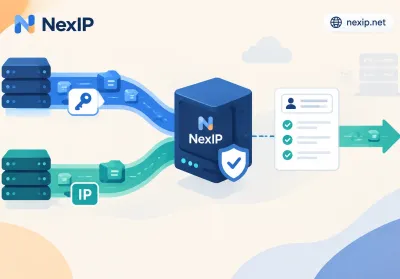
Here, NexIP's static residential IP service is ideal for fixing the network trust crisis.
1. Mimic Native Identity to Bypass Risk Control
NexIP's resources come directly from ISPs. When you use such an IP, Instagram's algorithm sees you as an ordinary person at home on Wi-Fi, not a marketing bot in a datacenter. This "native attribute" effectively lowers risk trigger rates, solving ins not opening at the source.
2. Dedicated Static Resources to Avoid "Guilt by Association"
Say goodbye to crowded public nodes. NexIP offers exclusive residential IPs. No other users occupy bandwidth or taint IP reputation. Account weight steadily increases, eliminating page loading failures due to associated risks, ensuring continuity for advertising and influencer marketing.
3. Full-Chain Troubleshooting Guide
Alongside network upgrade, follow this checklist for a thorough device cleanup to eliminate local interference and completely fix Instagram page not loading.
1. iOS/Android Mobile Emergency
For mobile devices:
① Deep Uninstall:
- _iOS users tip_: Go to "Settings – General – iPhone Storage – Instagram" and choose "Offload App." This clears corrupted cache while preserving account data. Reinstalling often resolves the issue.
② Time Calibration:
- If phone time differs from server time, SSL certificate handshake fails. Ensure "Set Automatically" is enabled.
2. PC/Mac Web Emergency
For Instagram web not loading:
① Incognito Mode Test:
- Use Chrome or Safari incognito mode to access. If it opens, the issue is browser extensions or old cookies.
② DNS Optimization:
- Manually set DNS to public servers (e.g., Google 8.8.8.8 or Cloudflare 1.1.1.1). ISP DNS failures often cause domain unresponsiveness.
4. Conclusion
In the age of social media where information flow equals lifeblood, Instagram page not loading is not just a technical issue but a double blow to user experience and business efficiency.
Cleaning local cache and updating the app can resolve most "soft faults." But for long-term account stability, building a high-trust network environment is key. By adopting NexIP's static residential IP service, we not only fix immediate connection errors but also ensure every click gets an instant response.