 NexIP官方博客
For cross-border e-commerce enterprises operating in Asian markets like Japan, Taiwan, and Thailand, LINE is not just a chat tool; it's a "super gateway" connecting over 200 million high-value users. However, issues such as "LINE registration failed", "unable to receive SMS verification code", or "temporarily unavailable" pose an invisible barrier for countless businesses entering the market. In 2026, LINE's security system has been upgraded to strictly inspect device fingerprints, behavioral patterns, and network environments. This article will delve into the root causes of LINE registration failures and provide the ultimate solution based on NexIP intelligent network optimization.
1. Deep Diagnosis: Why Does the Device Show "LINE Registration Failed"?
If you encounter any of the following, your account has been flagged by the risk control system:
- Unable to receive verification code: This is the most common symptom of LINE registration failure.
- Prompt "Service not available in your country/region": Even with a proxy, it's still difficult to deceive the server.
- Banned upon registration: Even after entering the verification code, the account is immediately logged out.
The core reasons for these issues typically center on three aspects:
1. Non-native Characteristics of the Network Environment
This is the primary cause of most failures in registering LINE.
- IP contamination and association: Using public VPN nodes or cheap datacenter IPs, which are often shared by a large number of "gray industry" accounts. Registering through these IPs will lead the system to directly determine "malicious batch registration" and block SMS delivery.
- Exposure of protocol features: Common network proxy tools have distinctive data transmission protocol features, making it easy for LINE's firewall to identify disguised traffic, which differs from natural traffic of local home broadband.
2. Risk Level of the Phone Number
Virtual numbers are almost easily detected by LINE. Registration success rates for virtual number segments like Google Voice and TextNow are extremely low. Additionally, if the number has been used for policy-violating marketing, it will also lead to LINE registration failure.
3. Device Fingerprint Anomalies
LINE reads the device's IMEI, MAC address, and system status. If it detects that the phone is rooted/jailbroken, or that the device still has residual cache information from previously banned accounts, the risk control system will directly deny service.
2. Solution: NexIP Cross-border Dedicated Line Rebuilds Account Security Defenses
For cross-border enterprises pursuing business continuity and asset security, finding high-quality network resources is key to breaking the "LINE registration failed" curse. Amid the chaotic network service market, NexIP offers an enterprise-grade solution distinct from traditional accelerators: cross-border dedicated line.
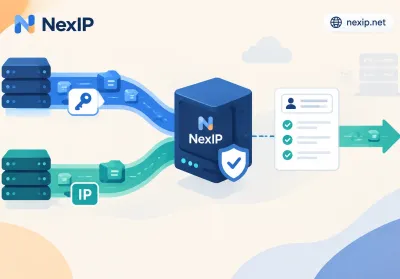
NexIP's cross-border dedicated line is not merely a traffic forwarding tool; it is a comprehensive service infrastructure integrating "physical layer high-speed channels" and "native compliant resources", fundamentally solving the core issues of LINE account risk control and connectivity:
1. Genuine Residential IPs Directly Sourced From Global Operators
The first checkpoint of platform risk control is always IP attribute detection. Traditional datacenter IPs inherently carry a "proxy" label, easily triggering security measures and causing SMS verification codes not to be sent.
- Resource advantage: NexIP's core barrier lies in the purity of resources. Our cross-border dedicated line incorporates genuine residential IPs directly sourced from operators in over 15 key commercial countries globally (deep coverage of Japan, Taiwan, Thailand, etc., LINE's core markets).
This native resource fundamentally eliminates the suspicion of "non-local user". In LINE's risk control algorithm, your request to register LINE originates from a genuine local home broadband network, not a server datacenter. This high-trust network identity is the first layer of protection to solve LINE registration failure.
2. 100% Resource Exclusive Commitment
Many enterprises encounter "mysterious bans" often because they use cheap shared nodes and are unfortunately implicated by "neighbors" engaging in policy violations.
- Service commitment: NexIP adheres to the principle of 100% resource exclusivity. Each static residential IP assigned to you is an independent network asset and will never be allocated to other users.
This physical isolation greatly enhances account survival rates, resolving asset losses due to IP association.
3. Dedicated Line Level Stable Transmission and Intelligent Gateway
Besides the IP itself, the quality of network transmission is equally critical for successful registration. Network jitter and packet loss often cause the "handshake" between the frontend and server to fail, resulting in not receiving the verification code. NexIP optimizes cross-border physical links and incorporates intelligent gateway anti-jitter technology to repair transmission protocols at the underlying level.
3. Practical S.O.P: How to Register LINE in 2026 with 100% Success?
With the solid network foundation provided by NexIP, combined with a scientific operational process, we can thoroughly overcome LINE registration failures. Below is a Standard Operating Procedure (SOP):
Step 1: Environment Cleaning
- Dedicated device: It is recommended to use an idle phone as a LINE-only device.
- System reset: If the phone was previously used for registration and resulted in a ban, be sure to perform a "factory reset".
- Remove SIM card: If a local SIM card is not available, it is recommended to remove the domestic SIM card to avoid leaking location through operator information.
Step 2: Network Reconstruction
- Connect to NexIP: Connect to the NexIP cross-border dedicated line and select a static residential IP for the target market.
- Verify environment: Visit an IP lookup website in your browser to confirm the IP location is correct and DNS has no leaks. At this point, your network identity is that of a "local native user".
Step 3: Registration Execution
- Download the latest app: Download the official LINE app from Google Play or the App Store.
- Enter phone number: It is recommended to use an overseas physical SIM card. Although +86 numbers can be used in theory, given success rates, it is advisable to prioritize overseas physical SIM cards. If you must use +86, ensure the network environment is extremely stable.
- Receive verification code: After clicking "Send verification code", keep the screen on and do not switch apps.
- Complete setup: Enter the verification code, set a password, and finish registration.
Step 4: Account Maintenance
Successful registration does not mean everything is fine. To prevent the account from being blocked during use:
- Maintain IP consistency: Do not frequently switch lines. Always use the same NexIP dedicated line IP to log into the account.
- Simulate real human behavior: Do not add many friends or send bulk messages in the first 3-5 days. Engage in simple text or voice interactions with contacts from your address book.
- Bind email: Bind an email address as soon as possible to increase the weight of the account.
4. Conclusion
On the cross-border track in 2026, LINE registration failure is a battle over infrastructure. Say goodbye to risky temporary tools and embrace professional enterprise-grade network solutions. By introducing professional services like NexIP, which offer intelligent gateway optimization, the latest transmission protocols, and native residential IP resources, you can not only easily conquer LINE registration challenges but also build a stable, efficient, and compliant moat for your cross-border business.