 NexIP官方博客
Once a team exceeds three people sharing proxies, the problem is no longer "which provider has good IPs" but "who can get what, how much, and how to revoke access after someone leaves." The vast majority of incidents stem from three things: a master account username and password forwarded around a group chat for half a year; a colleague's script burning through a month's traffic in one night; two colleagues in different cities simultaneously logging into the same backend using the same static IP.
Here's the conclusion first, then we'll break down how to configure each item:
- Keep the master account for admins only. Frontline staff must receive independent sub-credentials or a managed environment, not the master account credentials, and certainly not API keys.
- Permission granularity follows the task: issue project-specific credentials with quotas for rotating tasks, and bind static egress IPs one-to-one with users and accounts.
- Credentials should not land in individuals' hands. If it can be hosted in an environment tool, don't issue plaintext.
- Verify the egress before distribution. Verify the actual exit IP, region, and line attributes—not just whether a webpage opens.
Step 1: First, Categorize Team Tasks into Two Types—Their Permission Models Are Completely Different
Don't apply one set of permission rules to everyone. Teams typically have two usage patterns simultaneously:
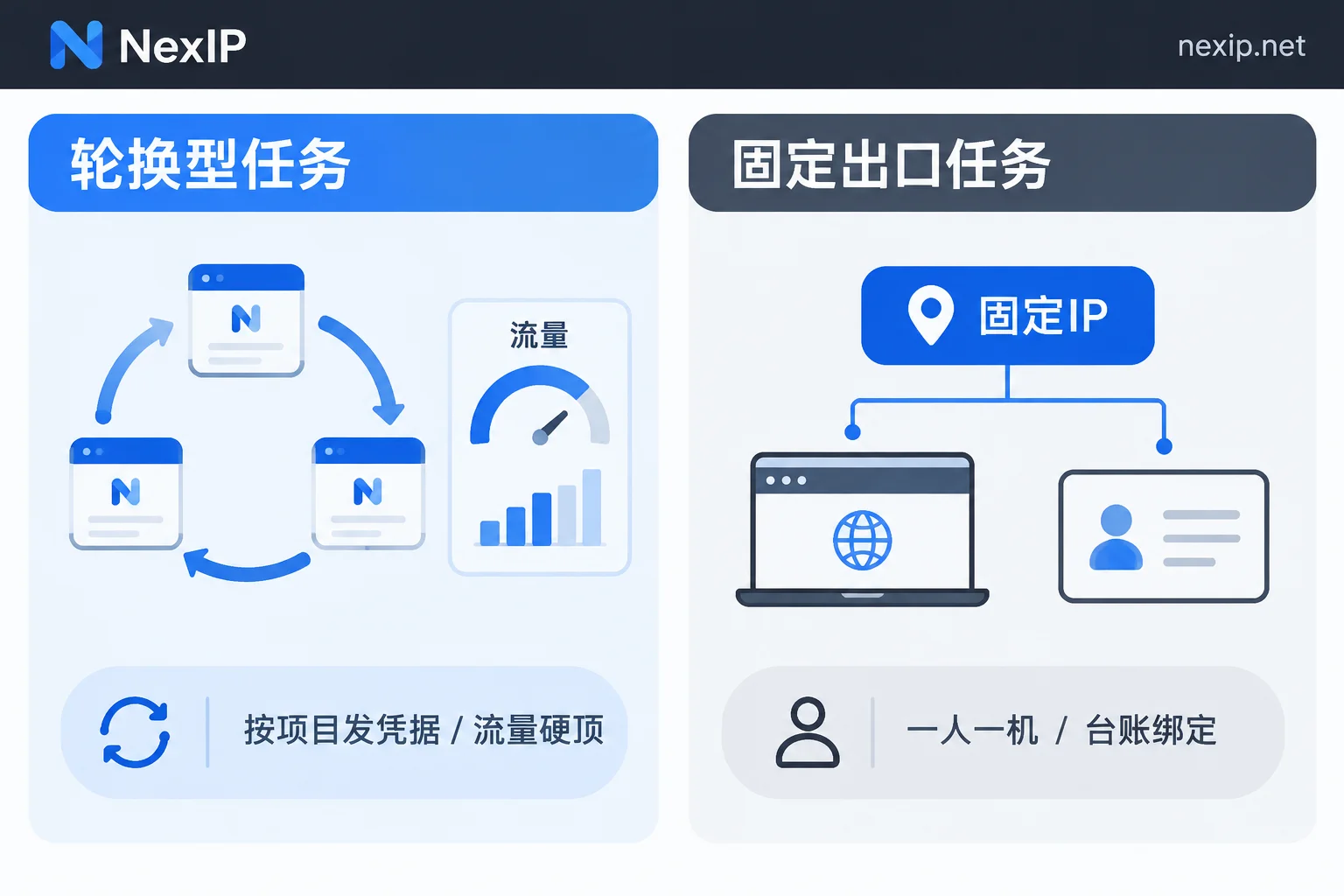
One is rotating tasks—data collection, SERP monitoring, multi-country checks of ad landing pages, price monitoring. Their characteristic is that the egress can change, and the more dispersed the better. The risk lies in cost: a miswritten loop or a retry without a timeout can consume a large chunk of quota. These permissions need to restrict quota and concurrency.
The other is static egress tasks—store backends, social media accounts, TikTok operation accounts. Their characteristic is that the egress must be stable and preferably unchanged long-term. The risk lies in shared use and concurrent logins: the same IP used by two people simultaneously, or switching an account from one IP to another, creates abnormal signals on the platform side. These permissions need to restrict exclusivity and binding relationships.
First, categorize people and tasks into these two columns, and every subsequent step will have a basis. It's common for one person to wear both hats—then give them two sets of credentials, don't mix them.
Step 2: How to Distribute Credentials—Never Send the Master Account Out
A proxy provider's master account usually binds top-ups, global quotas, and API keys, with "global-level" permissions. Sending it directly to frontline staff maximizes the blast radius: any screenshot leak or incomplete offboarding handover means the entire account needs to be reset.
The correct approach is layered:
- Administrator: Holds the master account, responsible for top-ups, purchasing plans, creating credentials, and viewing usage reports.
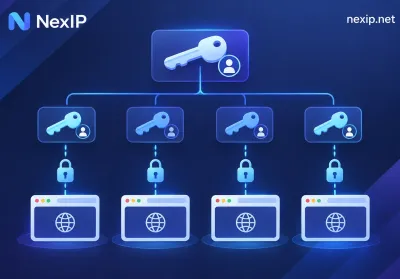
- Project lead / developer: Receives project-generated sub-credentials (independent proxy username/password or independent extraction endpoint), can only connect for proxy authentication, cannot access the console or see bills.
- Frontline operations: Ideally receives no credentials at all—see the next section.
If your provider's panel supports sub-users or sub-credentials, use them directly. When the panel doesn't offer this capability, the next best approach is to split plans or independent credentials by business line—one set for collection, one for store operations, one for temporary outsourcing, without sharing authentication information. After splitting, even if one set is leaked, the damage scope is controllable, and usage attribution can be traced to individuals.
One more easily overlooked point: API extraction links are themselves credentials. Many teams treat extraction links as ordinary URLs and paste them into documents and chat logs—anyone who gets one can extract IPs. They should be managed at the same level as passwords.
Step 3: Credentials or Whitelist—Choose Separately for Team Scenarios
Neither authentication method is absolutely superior; the criterion is whether members' public egress IPs are stable.
Whitelist authentication (adding office network or server public IPs to the authorized list) has the advantage that clients don't need any password, there are no credentials to leak, and no plaintext appears in scripts. It suits: fixed office networks, VPS with fixed public IPs, and cloud-deployed collection clusters. Its hard flaw: home broadband public IPs change, mobile hotspots and café Wi-Fi differ every time. Remote and traveling colleagues using the whitelist will constantly fail, and eventually everyone will ask the admin for credentials, rendering the whitelist useless.
Credential authentication works anywhere and is the default for distributed teams, but it requires you to control plaintext: not in chat logs, not in code repositories, not hardcoded in scripts. Developers use environment variables or secret management; operations use the environment hosting described in the next section.
In practice, a hybrid is common: server-side collection tasks use the whitelist, while dispersed operations teams use credentials hosted by environment tools. For details on how to decide, refer to this breakdown: How to Choose Between Proxy IP Credential Authentication and Whitelist Authentication.
Step 4: The Optimal Solution for Operations Is "Give Only the Environment, Not Credentials"
For teams doing store, social media, or TikTok operations, the best permission model is not issuing credentials but having the admin configure the proxy (host, port, credentials or forwarding port) in a fingerprint/environment management tool, then granting frontline members access only to that browser environment.
This solves three problems at once:
- Employees can open the environment and work normally, but cannot see the raw proxy credentials—they can't take them away or use them elsewhere.
- IPs are hard-bound to environments, and environments to accounts, eliminating drift where an account uses egress A today and egress B tomorrow.
- When personnel change, the admin can revoke environment authorization with one click in the tool, without chasing down already-issued passwords.
Division of responsibilities to note: egress lines belong to the proxy provider, browser fingerprints, cookies, and environment isolation belong to the environment tool (ours is NexBrowser), and account ownership and verification belong to the account side. Don't expect changing an IP to solve environment-layer issues, and vice versa.
Step 5: Set Hard Caps on Quotas—Don't Wait for the Bill to Notice
This step applies only to dynamic plans billed by traffic. When multiple people share, the most typical incident is a member changing concurrency or forgetting to disable a debug script, draining the shared quota in a few hours and stalling all other projects.
Configuration points:
- Set a hard quota cap for each sub-credential, automatically disconnecting at the threshold, not just sending alert emails.
- Start with a small portion of the project budget as the threshold, then increase after smooth operation—don't give the full amount upfront.
- Regularly review per-credential usage reports, attribute usage to people and projects, and identify whose script caused abnormal growth the same day.
If your team has long-term high-concurrency, unpredictable-traffic tasks (like large-scale continuous collection), traffic-based billing itself tends to get out of control. It's better to switch to a bandwidth-based, unlimited-traffic model. Then the risk shifts from "money burned" to "bandwidth saturated by one member slowing others down," and the corresponding controls change: limit per-process concurrency and schedule different tasks at different times, rather than setting traffic caps.
Step 6: Static Egress Must Be One Machine per Person—Keep a Ledger
The value of static exclusive IPs lies in "exclusive and stable." The two most common ways teams waste them:
- Multiple people simultaneously connecting to the same IP to log into the same platform, especially members in different regions. The platform sees concurrent multi-endpoint access from the same egress, compounded by device and time zone differences, and easily flags it as abnormal.
- Repeatedly rebinding an IP between accounts. Today it's for Store A, tomorrow temporarily lent to Account B for an emergency. Once binding relationships get messy, even troubleshooting becomes impossible later.
Therefore, the static egress column needs a clear ledger with at least four columns: IP / Port → Bound account or store → Responsible person → Browser environment. Any adjustment requires approval; verbal borrowing is not allowed. For temporary tasks, short-term outsourcing, or short-cycle checks, don't touch long-term static IPs—use short-term exclusive IPs with a clear lease term and automatic reclamation upon expiry for a cleaner setup. The lease term itself is a permission expiration mechanism.
For what to verify before binding, follow this checklist: What to Verify Before Binding a Static Residential IP to a Store Backend.
Step 7: Verify Once Before Distribution and Once Before Login
Configuring permissions doesn't mean they take effect. Have members routinely do these things before formally logging into the target platform:
- Check the exit IP: Use an egress detection page to confirm the actual exit address matches what you assigned. Check before and after enabling the proxy; if both are the same, the proxy isn't working and traffic is still going direct.
- Check region and line attributes: Whether the country and city meet business requirements, and whether the line belongs to residential or data center. For local stores and content operations, this matters far more than "can it connect."
- Check authentication errors: A 407 return means authentication failed. Common causes: special characters in the password not escaped, the public IP in the whitelist changed, or the credential was disabled. Don't let members guess—report the error code to the admin.
- Check protocol pairing: HTTP/HTTPS and SOCKS5 ports are usually different; a wrong port looks very much like "proxy unavailable."
For scenarios where only one application uses the proxy and other traffic goes direct, configuration differs. See: How to Make Only One Application Use a Proxy with Process Proxy.
Reclamation Checklist for Personnel Changes
For resignations, transfers, or outsourcing project completion, complete these steps the same day—don't delay:
- Disable or delete the member's sub-credentials; don't just change the password and keep it for reuse.
- Remove their home/office public IP from the whitelist.
- Revoke all browser environment authorizations in the environment tool.
- Evaluate whether static egress IPs they used need replacement, especially if credentials may have leaked.
- Review the last week's usage reports to confirm no abnormal extraction or traffic.
Write these five steps into the handover process—it's far less hassle than remediating later.
Selection Wrap-Up: What Type of Egress Teams Should Buy
Once the permission model is set, the procurement criteria are basically determined:
- Rotating tasks like collection, monitoring, and multi-country checks: issue project-specific credentials + set traffic hard caps, use Dynamic Residential Traffic Plans; if concurrency is high and traffic is hard to estimate, a bandwidth-based billing model is better for a shared team pool.
- Static egress tasks like store backends, social media matrices, and TikTok operations: one machine per person, one IP per account, use Static Residential Long-Lasting IPs; for TikTok operations, recommend the residential native subclass, where IPs can be replaced for free if they fail, so a single disconnection won't disrupt the entire binding ledger. For short-term temporary collaboration, short-term exclusive IPs are better for clean closure.
For access methods, server-side tasks use whitelist + API or port forwarding, while dispersed operations use credentials + environment hosting. Build these two lines separately and don't borrow credentials from each other—this is the most hassle-free structure as the team scales.


Comments(0)