 NexIP官方博客
Accounts that require long-term login and continuous operation, such as store backends, social media profiles, and ad accounts, are best assigned a dedicated static long-lasting residential IP. One account (or one store) should have one fixed exit, not shared with other accounts, and not switched arbitrarily. Dynamic IPs are not suitable for carrying the daily login of these accounts; they are better for tasks that don't require a login session, such as public data scraping, price monitoring, and ad verification. Static short-lived IPs fall in between, used for staged tasks lasting only a few hours to a few days.
"Warm-up" here refers to the daily maintenance and continuous operation of accounts you legally own. What the network exit can do is present a continuous, trustworthy login environment to the platform. It cannot replace the account's own compliance, nor guarantee that the account won't be restricted.
Criteria: Does the platform need to continuously recognize you?
When choosing between static and dynamic, don't ask which is "safer"; look at whether the task depends on a stable login session.
- Requires login and the platform must recognize the same person over the long term: Seller backends, main social media accounts, ad accounts, long-term TikTok operations. Use a fixed exit for these tasks.
- No login required, only reading public pages: Competitor prices, search rankings, public reviews, ad landing page verification. Rotating exits are more suitable for these tasks, as requests are distributed across multiple IPs, reducing the load on any single IP.
The reason lies in how platforms assess the login environment. Platforms look not only at the IP address itself but also combine the IP's country and city, the ISP (ASN), device and browser information, cookies, etc. If a logged-in account's exit frequently jumps to another city or ISP, the platform may treat it as an unfamiliar environment and require secondary verification. For tasks like live streaming or long connections, switching exits mid-way may cause stream interruption.
Dynamic IPs work by changing the exit per request or per session. Even with sticky sessions enabled, a new IP is assigned after the session ends. Therefore, dynamic IPs are not suitable for long-term use with the same account.
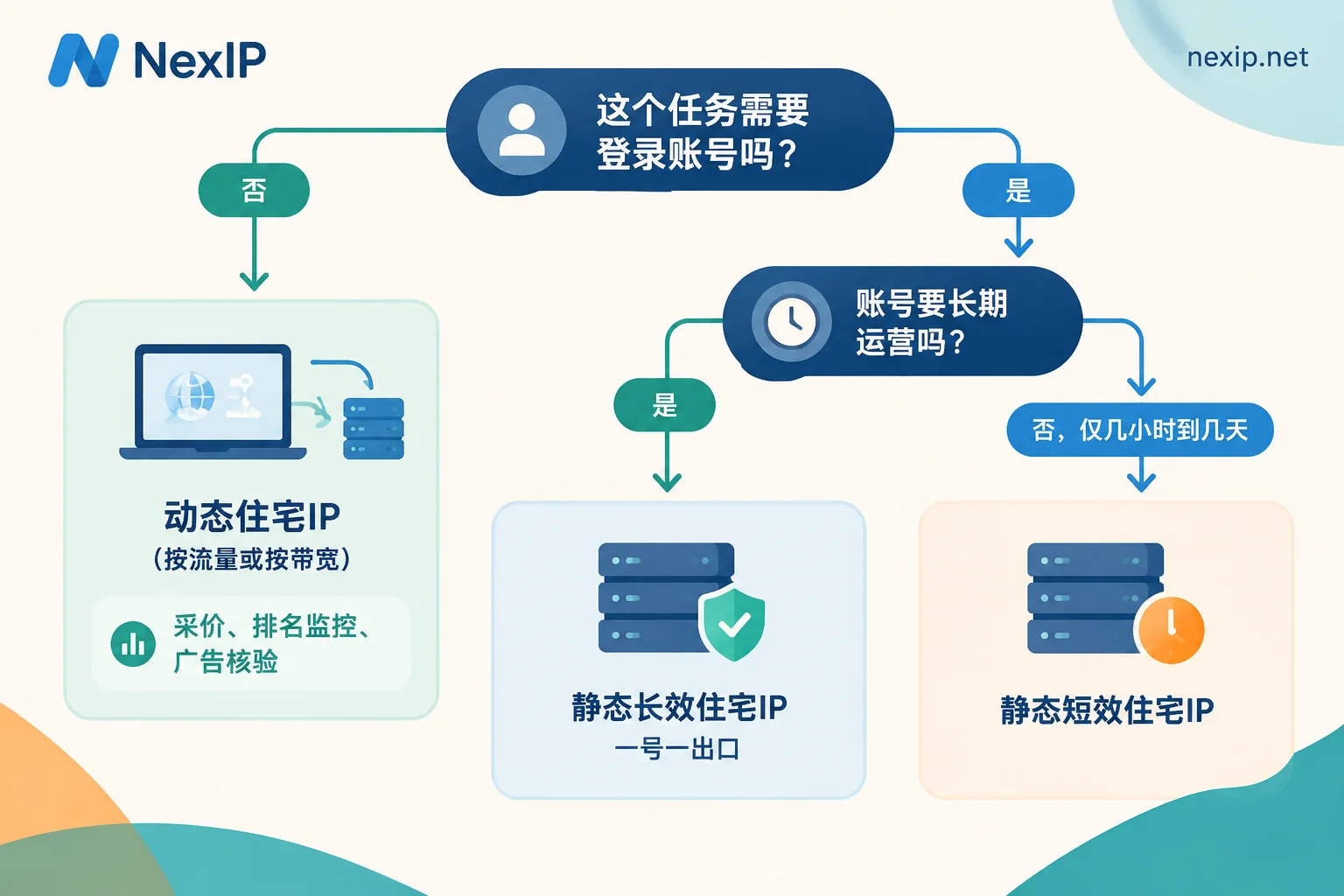
Match tasks to the right IP type
Long-term operated accounts → Static long-lasting residential IP
Static long-lasting IPs are rented monthly or annually, exclusively for you, with a fixed address. Seller backends, main social media accounts, and ad accounts fall into this category. For specific practices on Amazon seller backends, refer to Dynamic IP or Static IP for Amazon Seller Backend.
Short-term, staged account tasks → Static short-lived residential IP
Not every action around an account requires a long-lasting IP. For short-term integration testing, or tasks lasting only a few hours to a few days, you only need an exclusive, fixed exit during that period, and you can stop when done. A short-lived IP is more cost-effective in such cases.
Note one exception: if an account will be used long-term later, it's best to let it use the exit that will serve as the long-term one from the start. Otherwise, changing the exit right after account creation adds an extra environment change.
Public data tasks around accounts → Dynamic residential IP
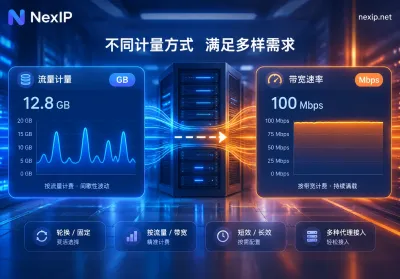
Product selection and price scraping, ranking monitoring, and continuous API polling belong here. If usage fluctuates and pay-as-you-go is more cost-effective, choose a dynamic traffic package billed by traffic, with rotation or sticky sessions configurable. For high concurrency, large traffic, and long-term continuous operation, choose a dynamic bandwidth package billed by bandwidth with unlimited traffic. Such high-frequency requests should not use the account's fixed exit, to avoid dragging the account exit into a large volume of automated requests. For rotation frequency, see How often should dynamic IPs be changed?.
Which static long-lasting IP to choose
NexIP's static long-lasting IPs are divided into three subcategories:
- Residential native IP: Belongs to a real home broadband ISP ASN, with the highest trustworthiness. Suitable for TikTok operations, cross-border stores with strict risk control, and ad accounts. NexIP's official recommendation for TikTok operations is to use static residential native IPs.
- Residential broadcast IP: Based on BGP-broadcast residential network segments, balancing cost and connectivity, suitable for routine multi-account daily operations.
- Data center IP: Lower cost, suitable for scenarios where native attributes are not critical and only a fixed exit is needed. Platform accounts with strict risk control generally do not prioritize it.
Static IPs themselves are also evaluated by platforms based on IP type, history, and usage patterns; see Will static IPs be flagged by platforms?. A fixed exit solves the "continuity" problem, but exit quality and usage habits are equally important.
How to configure region, protocol, and authentication
- Region: The country and city of the exit should match the account's operating location and registration information. Keep one account fixed in one region; do not switch back and forth between countries.
- Protocol: Supports HTTP, HTTPS, and SOCKS5. Choose based on the protocol supported by your browser or tool. If you need to proxy non-web traffic, SOCKS5 has broader applicability.
- Authentication: Can use username/password or IP whitelist. If your local public IP is fixed, whitelist is more convenient. If you have many devices or your local public IP changes, username/password authentication is more stable.
- Access methods: Supports API extraction, username/password, port forwarding, and process proxy, manageable via the official panel or client.
- One account, one exit: If multiple accounts share the same exit, the platform may associate them. In addition to giving each account an independent fixed exit, browser environments should also be independent, including separate browser profiles and cookies—this part can be handled by NexBrowser. Account profiles and SMS reception correspond to NexSHOPX and NexSMS respectively.
Validate before logging in
- Connectivity: Access several target sites through the proxy to confirm pages open normally and latency is stable.
- Exit location: Use an IP lookup tool to verify the exit's country, state/province, and city match your purchase.
- ASN and type: Check the owning ISP. A residential native IP should show a home broadband ISP, not a data center.
- Leak check: In the browser configured with the proxy, check WebRTC and DNS to confirm your real local IP is not exposed.
- Recheck stability: Check the exit again after some time to confirm the IP hasn't changed.
Log in to the account only after validation passes. When logging in with a new exit for the first time, it's normal for the platform to require SMS verification or two-factor authentication; complete it as required, and then let this account always use this exit. If verification is still frequently required after configuration, you can refer to the approach in Does Facebook require re-verification after changing IP? to troubleshoot exit changes and location jumps.
What to note when replacing a failed IP
NexIP static long-lasting IPs can be replaced for free if they fail. However, from the platform's perspective, the newly replaced IP is still an exit change. When conditions allow, try to replace with an IP from the same region and type. If you encounter verification on the first login after replacement, just complete it normally. Do not change sensitive information like passwords or payment details during the same period; separate these changes to avoid multiple changes stacking up.
Choose by conclusion
If you decide an account will be operated long-term, go to Static Long-Lasting IP, select the country according to your operating location, and then choose residential native, residential broadcast, or data center based on the platform's risk control requirements. If it's just a staged task lasting a few hours to a few days, see Static Short-Lived IP. For specific regional coverage and pricing, refer to the official website pages.


Comments(0)