 NexIP官方博客
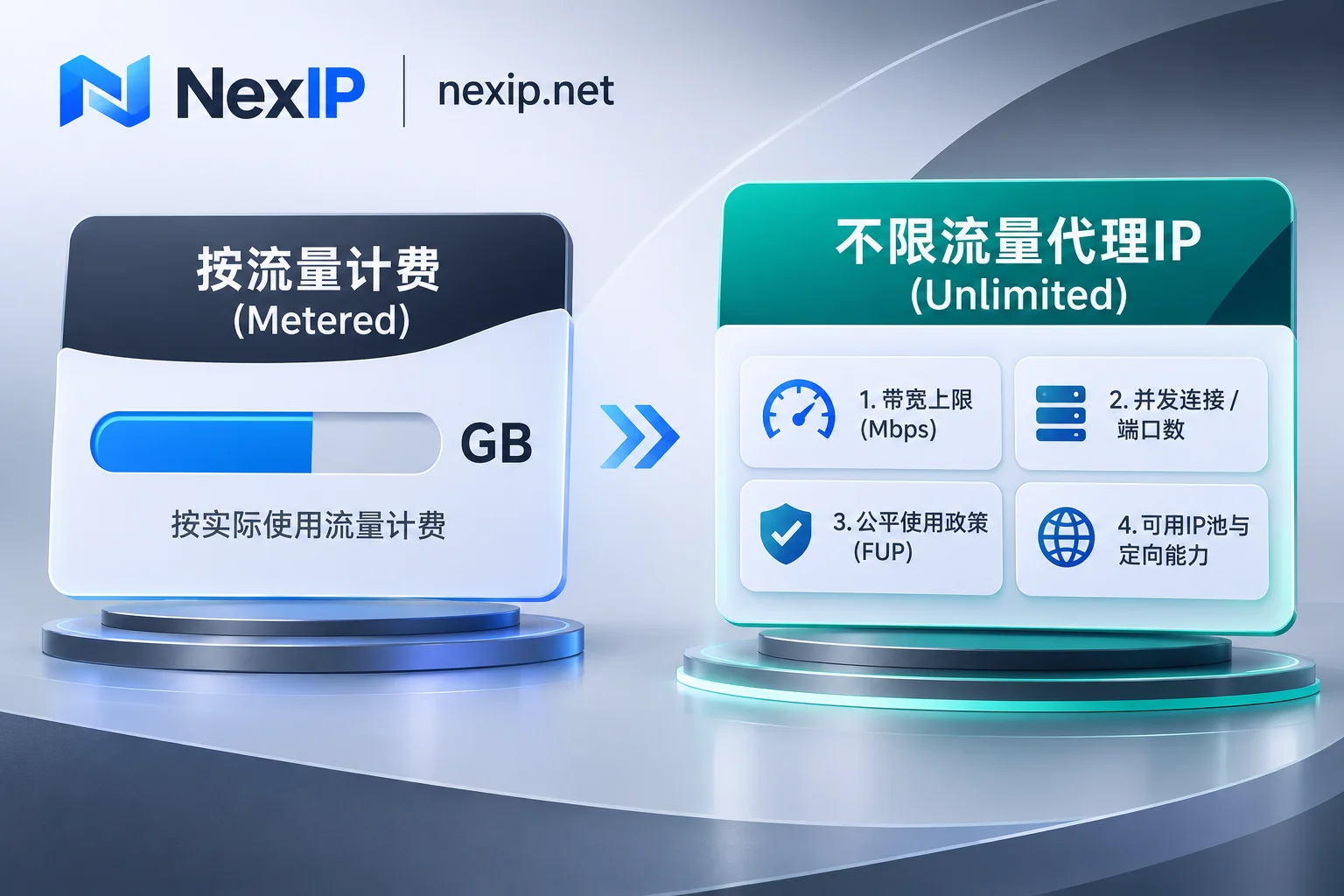
Bottom line first: Unlimited traffic proxy IPs are not "unlimited in every aspect." They simply remove the GB-based traffic counter, shifting resource limits to bandwidth (Mbps), concurrent connections, available IP pool scope, or hidden thresholds of a "Fair Usage Policy (FUP)."
Every residential exit or server link has real physical bandwidth and upstream channel costs. No provider can unconditionally supply unlimited resources for a fixed monthly fee. So "unlimited traffic" describes the billing method (no per-byte surcharge), not that physical resources have no ceiling. If you've already read our articles on why "unlimited traffic proxy IP" corresponds to two completely different businesses and deconstructing the "failure multiplier" trap and cost restructuring, today we tackle the most practical question before ordering: what exactly are providers limiting, how to read the hidden thresholds in the terms, and how to test during the trial period to ensure no speed reduction or paralysis after purchase.
I. "Unlimited Traffic" Removes the Byte Meter but Moves Limits to These 4 Areas
Most "unlimited traffic" plans on the market essentially replace the visible GB quota with four other constraints. If you don't clearly see these four before buying, you'll often encounter the dilemma: "Traffic really isn't charged, but the task can't run at all."
1. Bandwidth Cap (Mbps Determines Pipe Thickness)
Bandwidth-based billing is the most transparent form of unlimited traffic, but many people misjudge units and actual throughput:
- Mbps vs MB/s differ by 8 times: Seeing 100Mbps bandwidth, the theoretical maximum download speed is
100 ÷ 8 = 12.5MB/s. If the target page or media file averages 500KB, at full theoretical limit it's about 25 requests per second. - Effective throughput must be discounted: Actual transmission also deducts TCP/IP headers, HTTP headers, TLS handshake overhead, plus cross-border link jitter. Effective data throughput per link is typically only 80%–90% of theoretical value.
- Dedicated spec vs shared bandwidth: If a plan says "unlimited traffic, up to 1Gbps" but doesn't specify whether bandwidth is independently allocated, during peak hours dozens of tenants squeezed into the same upstream exit may actually get half or less of the nominal speed.
2. Concurrent Connections, Threads, and Ports
Unlimited traffic does not mean unlimited concurrency. Many plans don't count GB but cap at port or thread level:
- Common caps: Selling by number of ports (e.g., each port limited to fixed concurrency or fixed rate), or limiting the number of simultaneous connections per account.
- Why this kills business: When proxy requests pass through overseas residential nodes, average response time is usually 0.3–1.5 seconds. According to the industry-standard concurrency estimation:
并发数 ≈ 峰值 QPS × 平均响应时间(秒). If your scraping task peaks at 30 requests per second (30 QPS) and target site average response is 1 second, about 30 connections are in flight at any moment; adding 30% margin for retries and jitter, you need at least ~40 concurrent connection capacity. Once a plan caps concurrency at 10 or 20, even with unlimited traffic, extra requests can only queue and time out.
3. Fair Usage Policy (FUP)
This is the most common trap in low-priced "unlimited" plans. Many products advertise "all unlimited" on the surface but bury a clause in the terms: "Subject to fair use principles; platform may intervene under abnormally high load."
To judge whether FUP is a gimmick, focus on three points:
- Is the trigger threshold transparent? Do they clearly state how many TB or how long sustained high load triggers it? Some mainstream overseas proxy providers publish FUP conversion formulas in their docs, stating that after exceeding the guaranteed quota, speed drops from 300–400Mbps in steps down to 100Mbps or lower. Gimmicky providers only write "determined by system as abnormal," with thresholds entirely at their discretion.
- What happens after triggering? Is it gentle throttling to 50% bandwidth, limiting concurrent threads, or outright suspension or switching you to a low-quality shared pool?
- Is there a notification mechanism? Do they warn you before exceeding to let you upgrade, or silently throttle at midnight until you notice the next day that collection volume dropped to a flat line?
4. IP Pool Shrinkage and Feature Castration ("Sub-pool Isolation" Trap)
Some providers dare to price "unlimited" very low because they put unlimited traffic plans into a separate shrunken pool:
- They reserve clean, high-success-rate real residential IPs for GB-based customers, and stuff repeatedly reused, high-fraud-score, or even datacenter-mixed old IPs into the "unlimited pool";
- Or completely disable country, city, ASN precise targeting and sticky session parameters, giving only a globally mixed blind box exit.
The result: traffic really costs nothing, but target site block rate is over 70%, and your business gets nothing but 403 pages and captchas. The unit cost of valid data ends up higher.
II. Pre-Purchase Checklist: Ask These 4 Questions to Clarify the Specs Before Ordering
When looking at any provider's plan page or contacting support, align on these four points to filter out 80% of "fake unlimited" products:
- "What exactly is your billing cap—bandwidth (Mbps), number of ports, or fixed IP count?"
Translate "unlimited traffic" into a specific resource cap. If bandwidth-based, confirm whether bandwidth is a fixed available spec; if port-based, ask whether each port has thread or rate limits. - "What is the exact FUP trigger line and action?"
If they can't specify the threshold and only emphasize "normal use is fine," it usually means uncontrollable risk when you scale up later. - "Is the IP pool for the unlimited traffic plan the same as for GB-based plans?"
Confirm whether you can still use HTTP/HTTPS/SOCKS5 all protocols, and whether city-level, ASN-level targeting and sticky sessions are castrated. - "Do I need multi-IP high-throughput rotation, or single IP fixed long-term online?"
These are two completely different products: the former uses dynamic bandwidth plans, the latter uses static residential fixed IPs. Never use dynamic unlimited traffic pools for logging into e-commerce stores or overseas social media accounts—high-frequency changing and multi-user shared exits will directly trigger account risk control.
III. How to Choose According to Your Business? Taking NexIP's Billing and Exit Architecture as an Example
In actual engineering selection, splitting different intensity businesses to match exits is more stable than forcing a "one-size-fits-all unlimited traffic plan." Take NexIP (nexip.net)'s product structure as an example: it clearly splits "unlimited traffic" into two completely different scenarios and doesn't rely on shrinking pools to lower surface quotes:
Scenario 1: Continuous, High-Throughput Data Pipeline → Choose Dynamic Bandwidth Mode
If your task is public opinion monitoring, full-site inventory tracking, high-frequency API polling, or batch scraping images, rich media, and large pages, GB-based billing can easily blow up costs due to large page resources or many retries. Such businesses can directly use NexIP's unlimited traffic proxy IP (dynamic residential proxy · bandwidth plan):
- Clear billing rules: Billed by port bandwidth, traffic itself is not accumulated by GB (subject to fair use policy), suitable for long-running tasks with stable budgeting;
- No feature compromise: Supports automatic rotation and sticky sessions, also supports country, city, ASN, ISP targeting (subject to inventory), provides HTTP/HTTPS/SOCKS5 protocols, supports username/password or IP whitelist authentication, and can be accessed via API extraction, username/password, port forwarding, or process proxy;
- How to split from traffic-based plans: If your scraping volume fluctuates greatly, or you scrape tens of KB pure HTML/JSON APIs (e.g., lightweight price comparison, SERP keyword monitoring), buying by actual bytes is more cost-effective—see dynamic residential proxy · traffic plan, and combine with our dynamic residential traffic plan usage estimation method and three accounting metrics for traffic vs bandwidth billing to calculate the break-even point first.
Scenario 2: Fixed Identity, Long-Term Session → Choose Static Residential with Unlimited Traffic per IP
If you do cross-border e-commerce store management, social media matrix, TikTok operations, or need to maintain long-term AI account login state, what you really need is not dozens of IPs per second for bandwidth, but "one account fixed to one clean residential exit, with normal web operations and media loading not separately charged for traffic":
- Long-term operations: Use NexIP's static residential proxy · long-lasting IP, offering monthly/yearly leases, exclusive fixed exit with unlimited traffic, subdivided into residential native, residential broadcast, and datacenter categories, supports native dual ISP, and free replacement if invalid. For TikTok matrix, refer to the official TikTok operations scenario solution; it's recommended to bind one account to one residential native IP.
- Short-term testing and verification: If you only need a few hours to days for account verification, payment verification, or business integration testing, no need for monthly subscription—directly use static residential proxy · short-term IP, billed by IP hour or day, also unlimited traffic.
(Note: For specific bandwidth tiers, plan prices, sticky session and rotation durations, pool size and success rate metrics, please refer to the real-time parameters published on the NexIP official website and user dashboard.)
IV. Must-Do 24-Hour Test Acceptance Checklist During Order/Trial Period
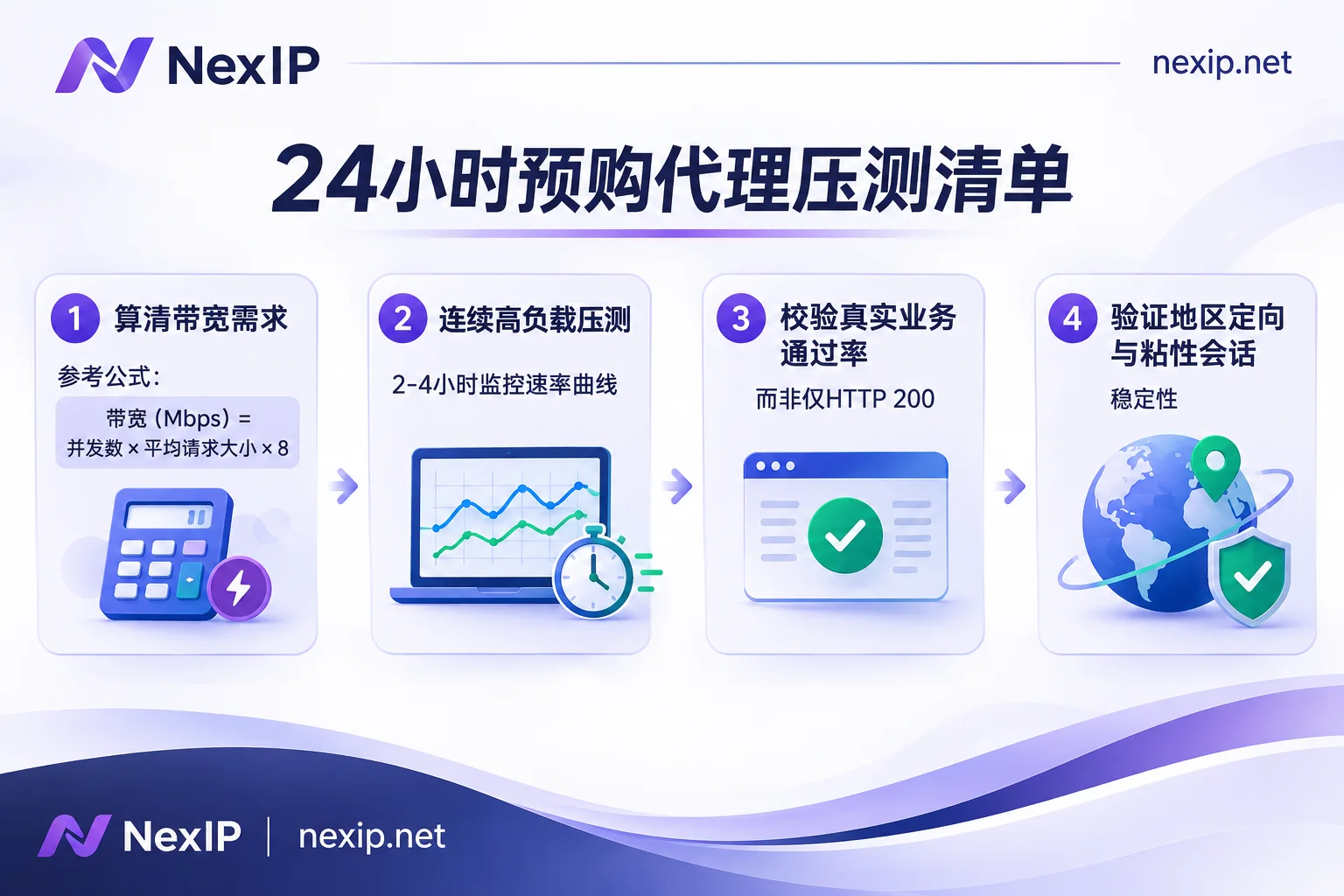
No matter which provider you choose, if you plan to go to production, strongly recommend taking a trial or minimum-period plan and stress testing for 24 hours following these four steps. Data is more honest than any marketing page:
Step 1: Calculate Your Target Throughput with Bandwidth Estimation Formula
First measure the average response body size (KB) and expected QPS per request with your existing script, then plug into the formula to calculate how thick a "pipe" you need:所需带宽(Mbps) ≈ 单请求平均大小(KB) × 8 × 预期每秒请求数 ÷ 1000
For example: average page 250KB, target 15 requests per second, theoretical net bandwidth requirement is 250 × 8 × 15 ÷ 1000 = 30Mbps. Considering protocol overhead and peak jitter, leave at least 20%–30% margin when choosing a bandwidth plan.
Step 2: Run Continuous High Load for 2–4 Hours, Watch the "Time Decay Curve"
Many throttling tricks show full speed in the first 15 minutes, then quietly throttle after a certain time or traffic. During testing, don't just use curl to measure single-point latency a few times; instead, run continuously for several hours at close to real business concurrency, and record average throughput (Mbps) and timeout rate every 15 minutes:
- Normal behavior: Rate curve is stable; even with slight latency increase during evening peak, no cliff-like drop.
- Abnormal signals: Bandwidth suddenly locked at extremely low level (e.g., 1–2Mbps) after half an hour, or mass TCP connection resets, indicating hidden FUP triggered or shared pool overloaded.
Step 3: Calculate Cost Using "Valid Business Pass Rate" Instead of HTTP 200
Don't just look at the proportion of 200 OK returned by the script—many high-risk-control sites return a 200 status code with a captcha page or blank skeleton page when blocking. During testing, must add a business validation rule (e.g., check if product price field or core DOM exists) to calculate the true valid successful request count. Then run the same batch of tasks once with traffic-based billing and once with bandwidth-based billing, compare: 套餐总花费 ÷ 有效成功请求数. Choose the one with lower valid cost per request.
Step 4: Verify Targeting Parameters and Sticky Sessions Are Not Invalid
If your scraping or business requires locking a specific city, specific ISP, or maintaining session stickiness for a few minutes, remember to spot-check the actual exit IP changes and geolocation during stress testing. For specific parameter specifications and troubleshooting steps, you can go through our previous articles on sticky session parameter specifications to prevent login state loss and city targeting and ASN targeting parameter filling and acceptance item by item.
V. Three Frequent Follow-Up Questions Answered at Once
1. How much data can I roughly run per day with a 100Mbps unlimited traffic proxy IP?
Purely mathematically, 100Mbps max 12.5MB per second, 24 hours non-stop full run theoretical limit about 1.08TB. In actual business, affected by target site response speed and protocol overhead, at 60%–80% effective utilization, you can stably run about 600GB–850GB per day. But engineering-wise, not recommended to push concurrency to 100% bandwidth long-term; leaving 20%–30% buffer significantly reduces timeout retries.
2. Why is it still recommended not to use unlimited dynamic bandwidth plans for bulk account farming?
The core advantage of dynamic bandwidth plans is "large pool, automatic rotation, high concurrency throughput," suitable for public data pipelines. But account farming, cross-border stores, payment verification, and overseas social media operations fear exit IP drift or multi-user sharing the most. For scenarios requiring fixed identity, directly choose static residential proxy · long-lasting IP which is also unlimited traffic but billed per IP.
3. If I'm not sure whether my concurrency and traffic are enough for the bandwidth version, how to transition most stably?
First use a small amount of pay-as-you-go traffic package for 3 days of real sampling (follow the usage estimation and switching threshold guide), calculate daily average GB consumption, peak QPS, and real success rate. Once you find daily consumption is high and tasks run 24/7, seamlessly switch to NexIP's dynamic bandwidth plan—both share the same access protocols and targeting rules, and code side requires almost no refactoring to switch.