 NexIP官方博客
Bottom line first: A rotating residential IP is an egress IP address assigned by real home broadband ISPs and automatically rotated according to rules via a proxy gateway. It combines a "real home user profile" with "automatic egress rotation," making it ideal for public data collection, price and inventory monitoring, overseas SEO/SERP monitoring, ad landing page verification, and real-time AI retrieval; however, it is not suitable for cross-border e-commerce store backends, primary social media accounts, or TikTok operations that require a long-term fixed login identity.
Many people new to rotating residential IPs fall into two common traps: first, treating "residential proxies with IP rotation" as an account nurturing tool, only to trigger risk controls due to frequent egress changes; second, assuming that simply using a residential IP guarantees no blocks, yet in practice still encountering 403 Forbidden, endless CAPTCHAs, or connections dropping mid-request. Below, we break down the issues from principles, applicable boundaries, troubleshooting, to selection and acceptance testing in one go.
1. How Do Rotating Residential IPs Work? Why Are They Harder to Detect Than Datacenter IPs?
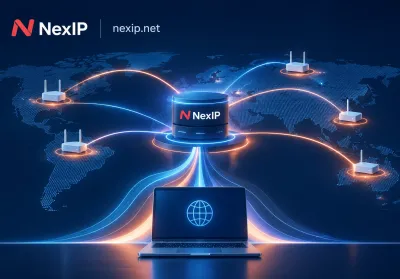
Simply put, when you use a rotating residential IP to access a target website, the traffic does not originate directly from a cloud server datacenter. Instead, it first connects to the provider's scheduling gateway, which assigns a residential egress from a global pool of home broadband resources to forward the request. From the target website's perspective, the visit comes from an ordinary home broadband network in a certain region, not from a known datacenter server range.
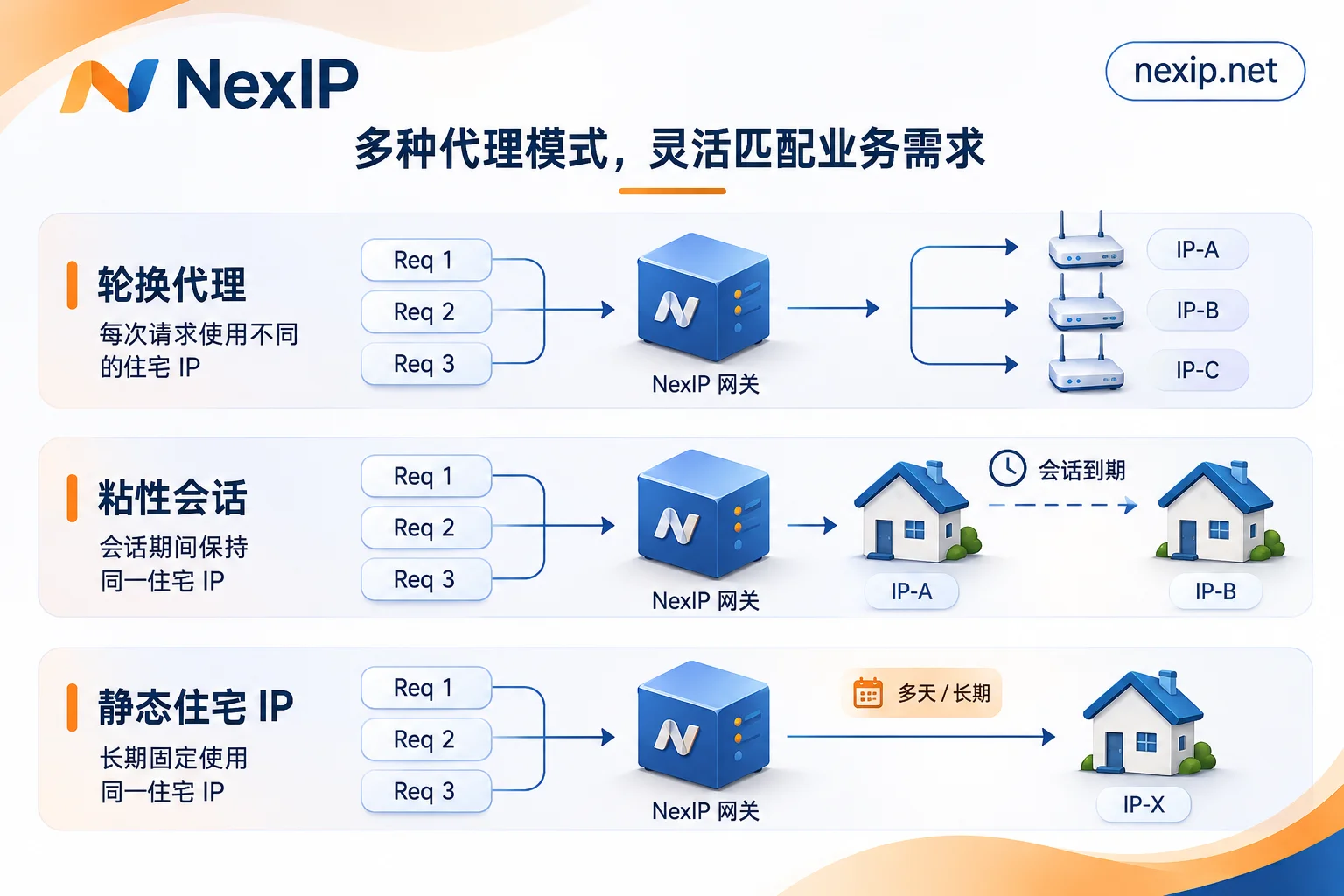
As with the essential differences between ordinary datacenter IPs and residential IPs, the higher risk-control pass rate of rotating residential IPs stems from their ASN attribution and network properties matching those of real netizens. The biggest difference from static residential IPs is "whether the address changes":
- Rotating per request: Each HTTP/SOCKS5 request is assigned a new egress IP, suitable for high-concurrency, stateless scraping.
- Sticky session: Maintains the same egress IP for a set period, suitable for tasks requiring pagination, loading associated resources, or completing multi-step flows, then automatically switches to the next egress upon expiration.
2. Which Businesses Should Use Rotating Residential IPs, and Which Scenarios Should Avoid Them?
The biggest mistake in proxy selection is "using rotating proxies for static tasks." Rotating residential IPs solve "not being identified as bot traffic", not "establishing a long-term trusted fixed account identity." Before configuring, check the scenario table below:
| Business Scenario | Is Rotating Residential IP Recommended? | Reason and Key Judgment | More Reasonable Egress Combination |
|---|---|---|---|
| E-commerce price comparison, product and inventory monitoring | Highly recommended | Target sites have strict anti-scraping and high request frequency; need many distributed home egresses to spread access pressure | Rotating residential (per-request rotation or short sticky sessions) |
| Overseas SEO / SERP ranking monitoring | Highly recommended | Need to simulate real local users from different countries and cities to view search results; no fixed account required | Rotating residential + country/city targeting |
| Ad verification and landing page checks | Highly recommended | Need to verify ad display and redirects from multiple real residential networks for compliance | Rotating residential (targeted by target market) |
| AI corpus scraping, RAG and Agent retrieval | Highly recommended | Reading public web pages requires bypassing datacenter blocks to avoid getting empty or fake pages | AI data collection dynamic solution |
| Account registration, payment or API integration testing | Use with caution | If IP must not change within minutes to hours, dynamic node下线 will interrupt the flow | Static short-lived residential IP |
| Cross-border store backends, long-term social media/TikTok account nurturing | Not recommended | Frequent egress IP changes easily trigger异地 login alerts and关联 reviews | Static long-lived residential IP |
If you have confirmed that your task falls under "high-frequency public access requiring分散 features," you can choose the appropriate dynamic product on NexIP based on your business rhythm:
- Bursty, on-demand tasks: Such as price comparison scraping, ad verification, SEO monitoring, and travel price aggregation. It is recommended to use rotating residential IP plans billed by traffic (GB), supporting per-request rotation or sticky sessions, so you pay only for what you use and avoid wasting money during idle times.
- Continuous, stable-throughput tasks: Such as 24/7 public opinion monitoring, real-time inventory tracking, or high-frequency API polling. Traffic-based billing can become expensive over time; it is more suitable to use rotating residential bandwidth plans billed by port bandwidth with unlimited traffic (fair use).
For specific boundaries between data collection and account nurturing, you can also refer to "Which Is Better for Scraping: Static Residential IP or Rotating Residential IP" and "Static IP or Dynamic IP for Account Nurturing".
3. Why Do You Still Encounter 403s, CAPTCHAs, or Even Connection Drops After Buying Rotating Residential IPs?
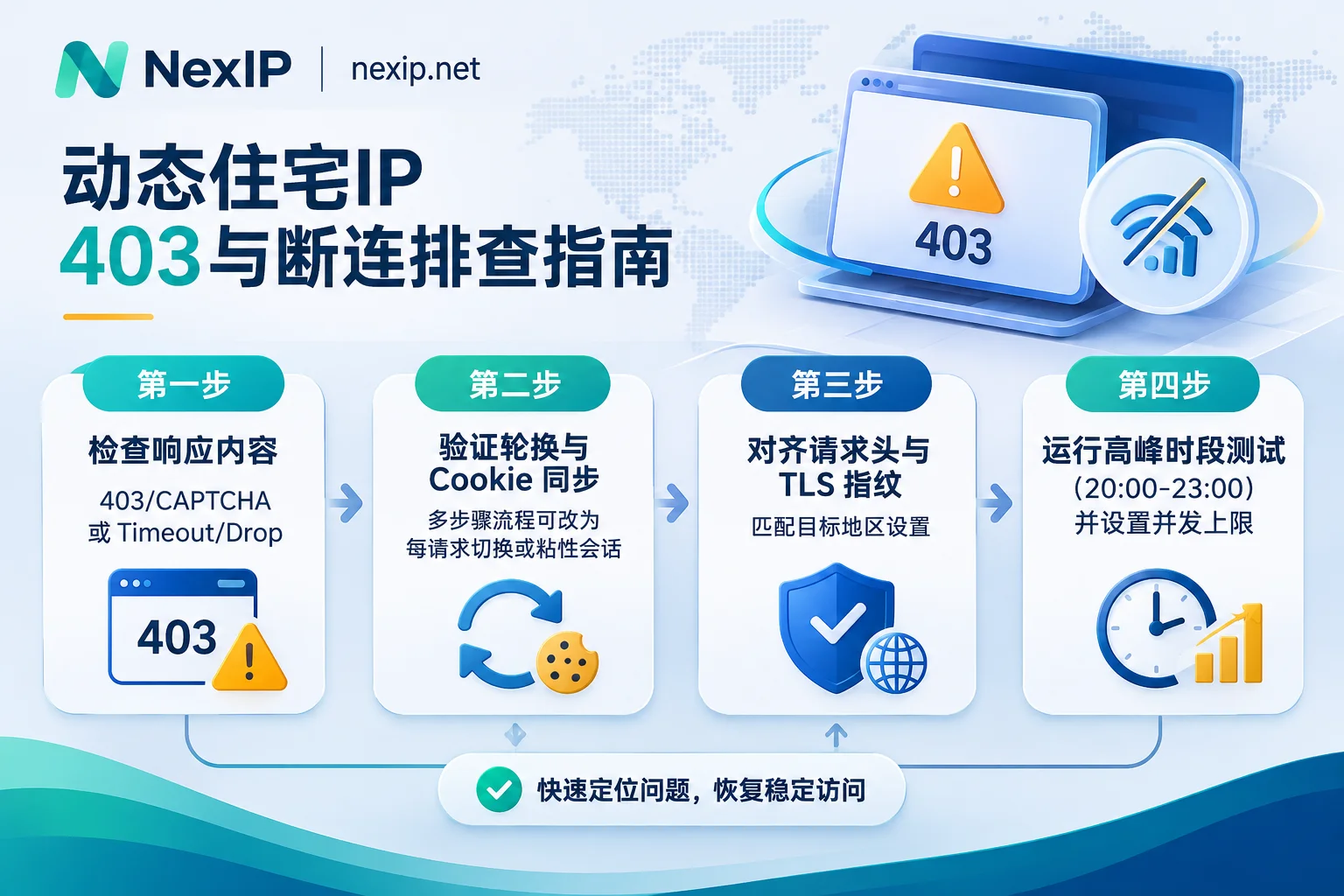
This is the most frustrating situation in practice: you've paid for rotating residential IPs, but when your program runs, it still throws 403 Forbidden, floods of CAPTCHAs, or large pages hang and drop mid-load. The problem usually lies in the following 5 areas:
1. Oversold pool or lack of cleaning; IPs are already blacklisted
Many providers boast "hundreds of millions of IPs," but what really determines success rate is deduplicated daily active unique egresses, ASN diversity, and gateway reuse rate. If the same residential egress is used by dozens of users simultaneously during peak hours to scrape the same e-commerce or search site, even if it's a real home broadband, the target site will temporarily blacklist it and return 403 or CAPTCHAs. The diagnostic method is simple: don't just test connectivity during off-peak hours like early morning; run a round of real target pages during Beijing time 8-11 PM and observe whether peak-hour availability and subnet dispersion significantly degrade.
2. Rotation rhythm clashes with page cookies/sessions
Many beginners, in pursuit of "maximum safety," set all tasks to "rotate IP per request." But if the target flow requires carrying cookies, CSRF tokens, or pagination state from previous steps, the first step uses an egress from location A, and the second step suddenly switches to an egress from location B. The target server detects a mismatch between session and source IP and directly returns 403.
- Solution: For stateless pages, use "per-request rotation" and leave immediately after scraping; for coherent multi-step scraping, switch to sticky sessions, letting a single work unit complete on the same egress before rotating (refer to "How Often Should Dynamic IPs Rotate" and "How to Set Sticky Sessions Without Losing Login State Midway").
3. Request headers, TLS fingerprints, and IP region "giveaways"
Website risk controls no longer look only at IP. If your egress is a US or German residential IP, but the requested User-Agent is too uniform, Accept-Language is still default English or missing, or the TLS handshake characteristics emitted by your script clearly indicate a standard automation library, the firewall will still classify it as bot traffic. For coordinated countermeasures between request fingerprints and egress, refer to "Why Am I Still Blocked After Changing TLS Fingerprints".
4. Home broadband upstream node offline causes sticky session "mid-stream drops"
Rotating residential IPs rely on distributed real residential networks, unlike dedicated datacenter lines that never lose power or restart all year. Once the upstream broadband device bound to your current sticky session suddenly disconnects or restarts, ongoing downloads or long connections will immediately break or time out.
- Solution: Implement reasonable timeout and retry backoff logic in your code. Upon connection interruption, automatically request a new egress and retry. Do not treat dynamic residential links as "never-dropping single long connections" for large file transfers.
5. Concurrency exceeds threshold or protocol parameters misconfigured
Blindly increasing concurrency threads not only saturates proxy port bandwidth causing lag and drops but also instantly triggers rate-limiting rules on target sites. Additionally, some programs mix ports when configuring HTTP and SOCKS5 protocols or mishandle local DNS resolution, manifesting as "connects but intermittent." When encountering connection failures or packet loss, it is advisable to first check protocol and authentication against "SOCKS5 Proxy Configuration and DNS Leak Troubleshooting".
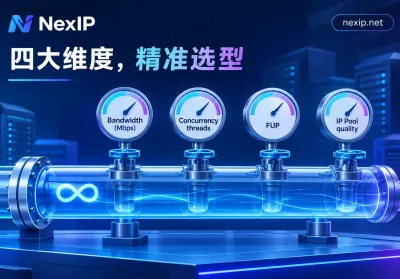
4. Selecting and Testing Rotating Residential IPs: Check These 4 Things Before Ordering
If you are comparing providers or preparing to purchase a first batch of test credits for your team, go through these four checkpoints before ordering:
- First ask if IP sources are compliant; stay away from unknown "free pools"
Low-cost or even free pools often mix in device nodes hijacked by malicious plugins or hidden SDKs. Such resources may not only fail en masse at any time due to security crackdowns but also bring compliance risks to enterprise business (see "The Dark Side of Free App Hidden Proxy SDKs and Selection Pitfalls"). - Calculate billing basis: traffic vs. bandwidth—which saves more
For scraping small pages, low-frequency verification, and tasks with obvious peaks and valleys, GB-based billing is usually more flexible. For 24/7 continuous polling that includes many images or static resource rendering, calculate hourly bandwidth throughput and then decide between traffic-based or unlimited bandwidth packages (for usage estimation, refer to "How to Choose Between Traffic-Based and Bandwidth-Based Billing" and "How to Estimate Usage for Rotating Residential Traffic Plans"). For specific plan prices, traffic validity periods, and fair use rules, always refer to the provider's official website for real-time information. - Check targeting granularity, protocols, and access methods for convenience
For localized SEO or regional price comparison, selecting only "country" is often insufficient. It's best to target by country, city, ASN, or even specific ISP (actual options depend on real-time inventory), and support both username/password and IP whitelist authentication. Taking NexIP as an example, the access layer supports HTTP/HTTPS/SOCKS5 protocols across the board, offering four usage methods: API extraction, username/password, port forwarding, and process proxy. Teams can manage sub-accounts and extraction rules via the user dashboard or API, and view popular platform compatibility for different countries on the region coverage page. - Accept based on "real business pass rate," not the panel's "99% connectivity"
A proxy test returning HTTP 200 does not mean the task succeeded—CAPTCHAs popping up, empty HTML shells, or forced redirects are often counted as "connection successful" in statistics panels. Before formal procurement, be sure to set up page content feature validation for your target sites and run through the real business loop before scaling up.
5. 30-Second Quick Decision
- You need to scrape public data, check overseas rankings, verify ad landing pages, or feed AI for real-time retrieval: Choose rotating residential IPs directly. For tasks with obvious peaks and valleys, go with rotating residential traffic plans; for all-day high-throughput continuous operation, go with rotating residential bandwidth plans.
- You need to log into e-commerce store backends, long-term social media operations, or TikTok matrix accounts: Do not force it with rotating residential IPs; switch directly to exclusive fixed static long-lived residential IPs and completely separate account environments from scraping environments.