 NexIP官方博客
Many engineers encounter a common frustration when collecting data from social feeds or complex web applications: even when using residential IPs, after dozens of requests, CAPTCHAs suddenly appear in large numbers, or the connection drops entirely. This session interruption not only slows down collection but also forces repeated retries, consuming significant additional bandwidth.
This phenomenon has become more prevalent recently. As smart TV apps were exposed for heavily embedding proxy SDKs, well-known device manufacturers launched a full-scale node removal mechanism in mid-July, drastically reducing the number of soft nodes supporting cheap proxy pools. Meanwhile, major platforms upgraded their security checks, establishing a strong association between temporary credentials and the node IP that initiates the request. Once a node drifts mid-session, the connection is immediately blocked. Properly configuring sticky sessions has become crucial for ensuring collection stability.
Why Fixed Sessions Are More Easily Identified by Target Websites
In the past, many people used a full rotation mode where “each request automatically switches nodes” for web data scraping. But under today’s frontend architecture, this approach increasingly leads to issues. Modern websites commonly employ a token binding verification mechanism.
When a client establishes an initial connection, the server issues a short-lived guest token or session cookie. If subsequent HTTP requests carrying that token come from a completely different IP address, the risk control system will deem the session abnormal, directly triggering a CAPTCHA challenge or refusing to respond.
Furthermore, with the crackdown on abused nodes, originally unstable relay nodes tend to go offline suddenly during collection. If a node is forcibly disconnected during a complete session cycle, the underlying data transmission link fails entirely, causing continuous request errors.
How to Set the Golden Time for Residential IP Session Stickiness
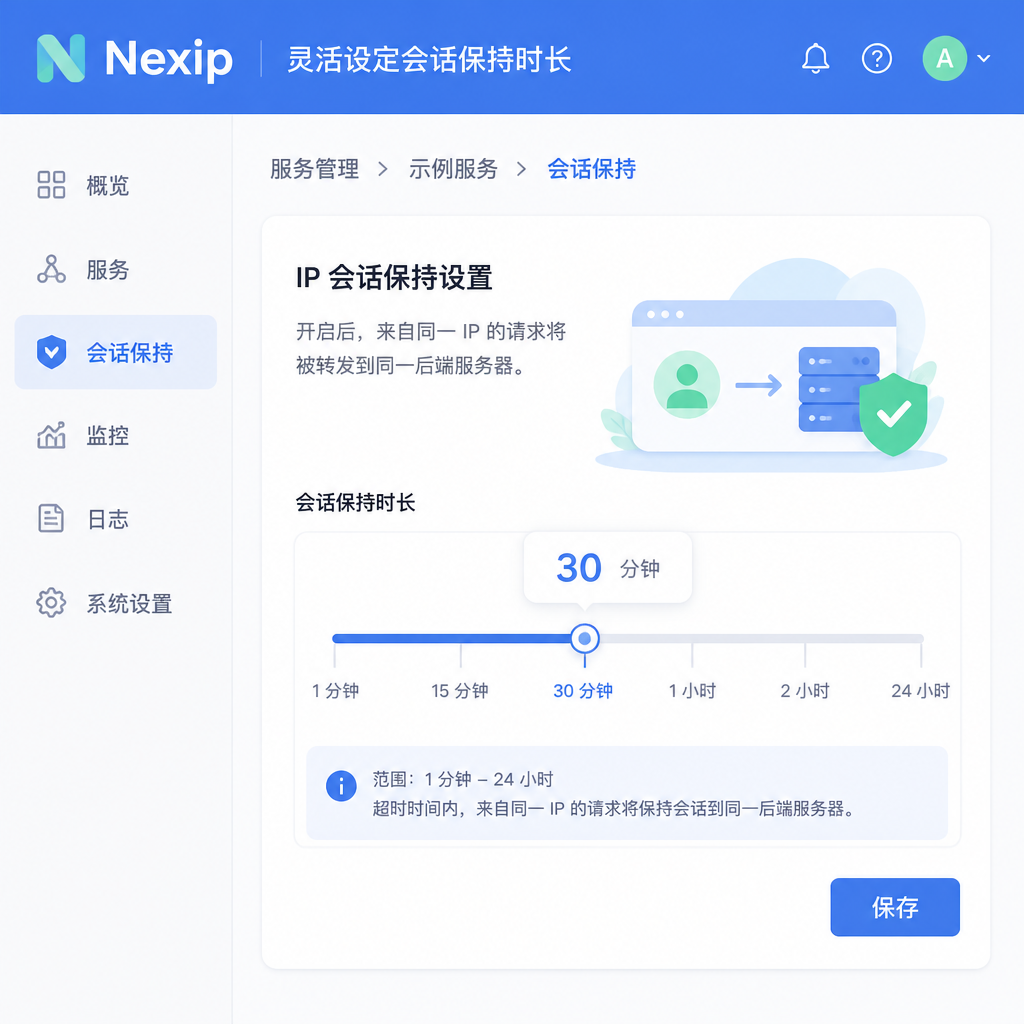
To solve the frequent disconnection problem, the key is to find a balance between node stability and anti-blocking concealment. In daily configuration, the sticky session duration is not always better when set longer; it needs to be optimized based on specific business scenarios.
For scenarios requiring only one-time searches, specific page retrieval, or simple data scraping tasks, it is recommended to set the session hold time to 3 to 5 minutes. This time window is sufficient for the program to obtain credentials, load pages, and parse content, while effectively avoiding triggering rate limits due to staying too long on a single IP.
For scenarios requiring a long-term login state or multi-step interactions, the duration can be extended to 10 to 15 minutes. In the Nexip control panel, you can flexibly set the node lifecycle according to business needs, ensuring the data link remains available within the expected execution time.
Four Configuration Steps to Ensure Sticky Sessions Don't Disconnect
To achieve high-survival continuous collection in actual business, follow these step-by-step solutions to optimize overall network layer configuration:
- Match browser fingerprint and geographic location: When using automation tools, ensure that the time zone and system language in the browser fingerprint are consistent with the geographic location of the proxy node.
- Introduce session failure retry and reconnection mechanism: Properly capture 401 or 403 exception status codes in code logic. Once a current node is deemed invalid, immediately clear local credentials and extract a new sticky node.
- Control request density within a single node: Even within the same sticky session, insert random wait intervals (pacing) to simulate human browsing behavior, reducing the chance of being flagged by risk control algorithms.
- Establish pre-node health checks: Before extracting high-value data, test node response latency and connectivity via lightweight heartbeat interfaces, eliminating nodes on the brink of instability.
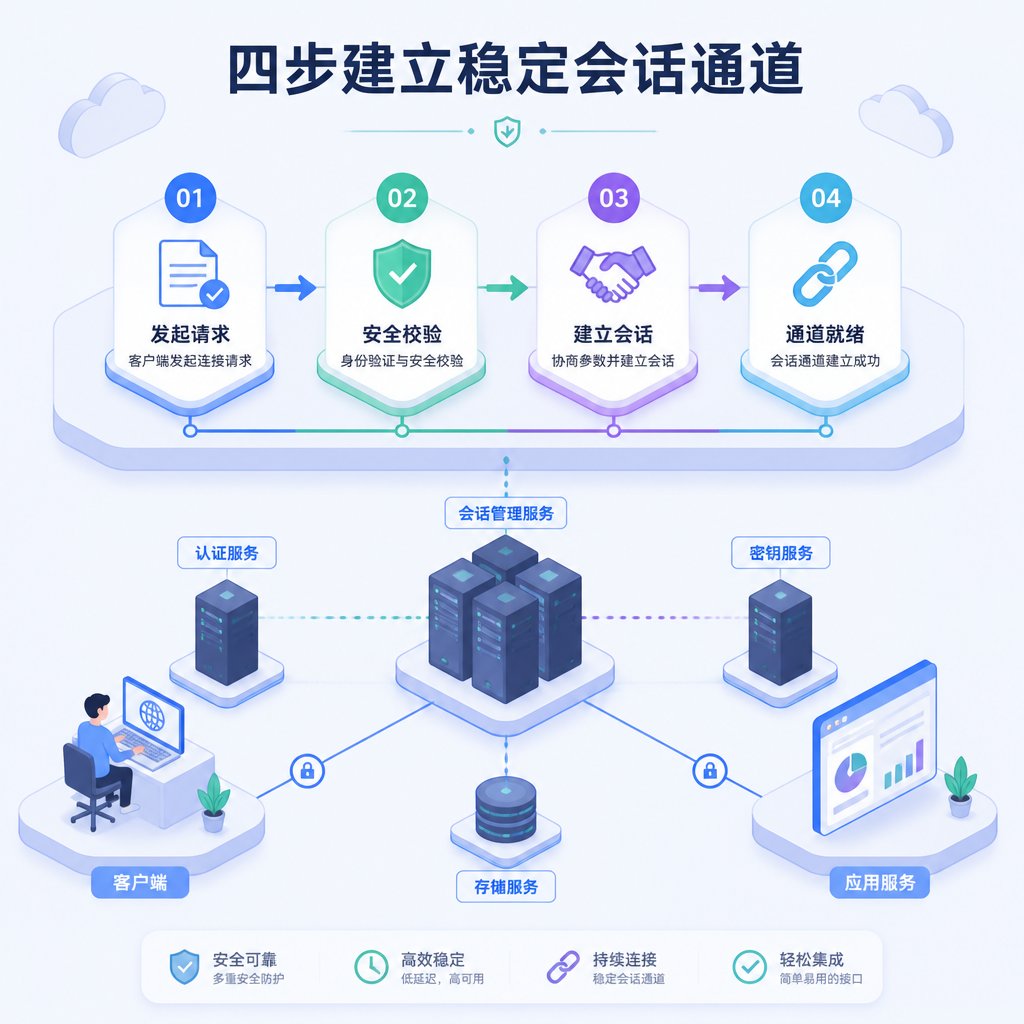
When combined with automated scheduling using Nexip proxy nodes, following these steps establishes a more robust data channel and reduces maintenance costs.
How to Verify the Connectivity Quality of Sticky Nodes in a Real Environment
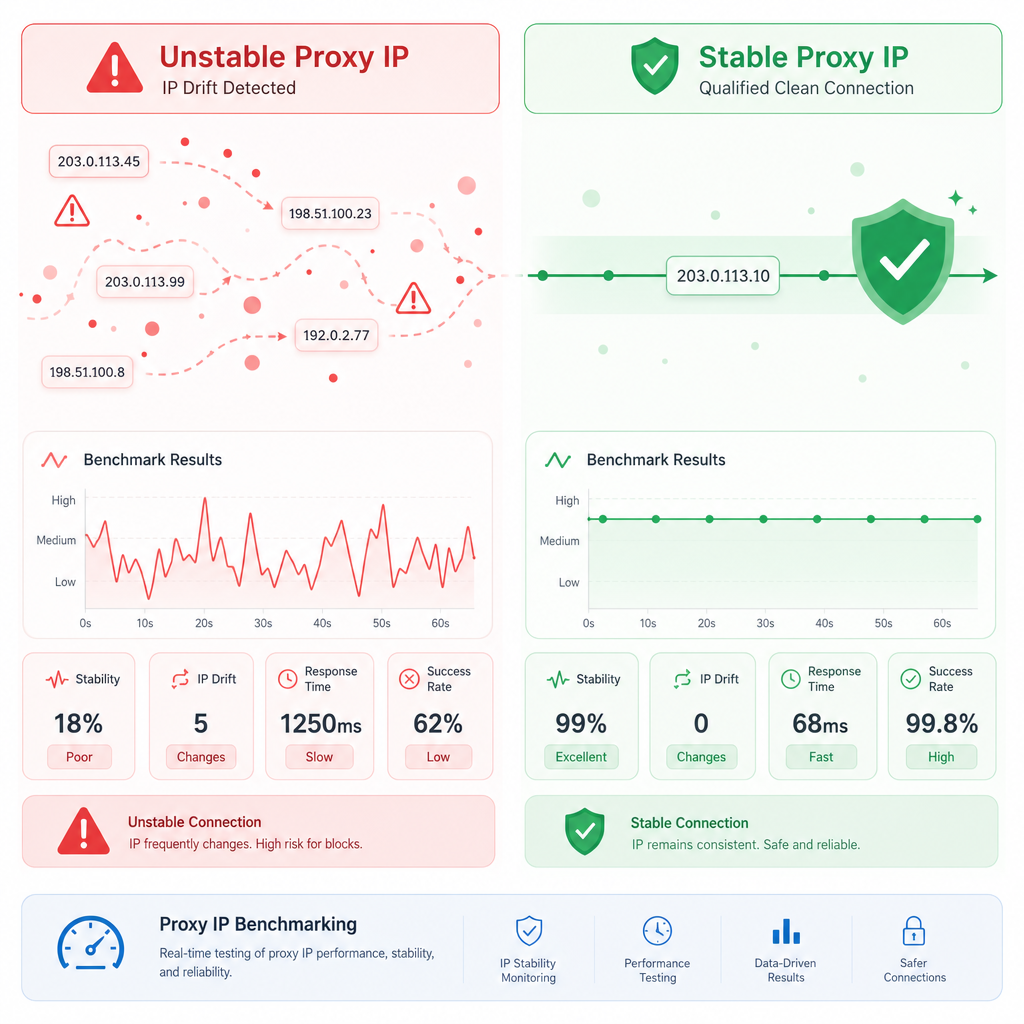
After completing the policy configuration, you cannot directly push it online; you need to benchmark the node’s session persistence capability. During testing, focus on three dimensions: session survival rate, response latency, and IP cleanliness.
During testing, write an automated script that continuously sends 100 requests with the same session identifier to the target interface. Observe and count the probability of IP drift or connection interruption mid-session. A session survival rate above 95% qualifies as a production-ready configuration.
Due to recent intensified cross-referencing of IP blacklists by major risk control platforms, also check whether the allocated nodes carry historical risk marks during testing. Maintaining a standardized quality testing process is a solid guarantee for the stable operation of the collection infrastructure.




Comments(0)