 NexIP官方博客
Not all crawlers must pay for proxy IPs. If you are only debugging during development, collecting low-frequency public APIs, or the target site is lenient about scraping, you can run directly from your local machine or a single server IP. However, as soon as you hit the per-IP access frequency limit, encounter Cloudflare/WAF blocking based on data center ASN, or need to collect localized content from different countries and cities, free public proxies found online and self-built open-source proxy pools generally cannot support production tasks. At that point, you must switch to paid rotating residential proxies.
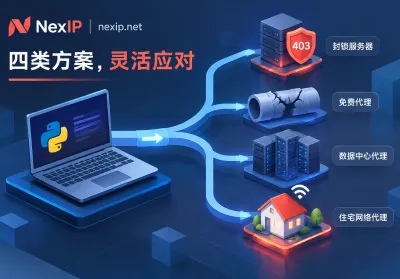
To help you make a decision in one minute, here are the real boundaries of four common network egress options:
| Egress Solution | Real Usability | Hidden Costs and Risks | Applicable Task Boundaries |
|---|---|---|---|
| Local / Cloud Server Direct Connection | Extremely stable connectivity, zero extra proxy cost | High per-IP frequency immediately triggers 429/403, and most public cloud IP ranges are heavily scrutinized by WAF | Local development debugging, low-frequency public APIs, scraper-friendly sites |
| Free Public Proxies / Open-Source Proxy Pools | Public list availability often below 10%–20%, lifespan measured in minutes | Validation modules consume more compute than the scraping script, and risks of transparent exposure and man-in-the-middle hijacking exist | Only suitable for learning proxy protocol principles, extremely low-sensitivity temporary tests |
| Regular Data Center Proxies | Sufficient bandwidth, lower unit price | Known data center IP ranges are easily blocked by e-commerce, social media, and search engines | General public sites without strict anti-scraping, non-sensitive bulk fetching |
| Paid Rotating Residential Proxies | Real home broadband ISP egress, supports automatic rotation or sticky sessions | Billed by traffic or port bandwidth, requires reasonable request pacing | E-commerce price comparison, SEO/SERP monitoring, ad verification, AI corpus and RAG scraping |
Why do many people search for free "crawler proxy IPs" but end up wasting all their time on "verification"?
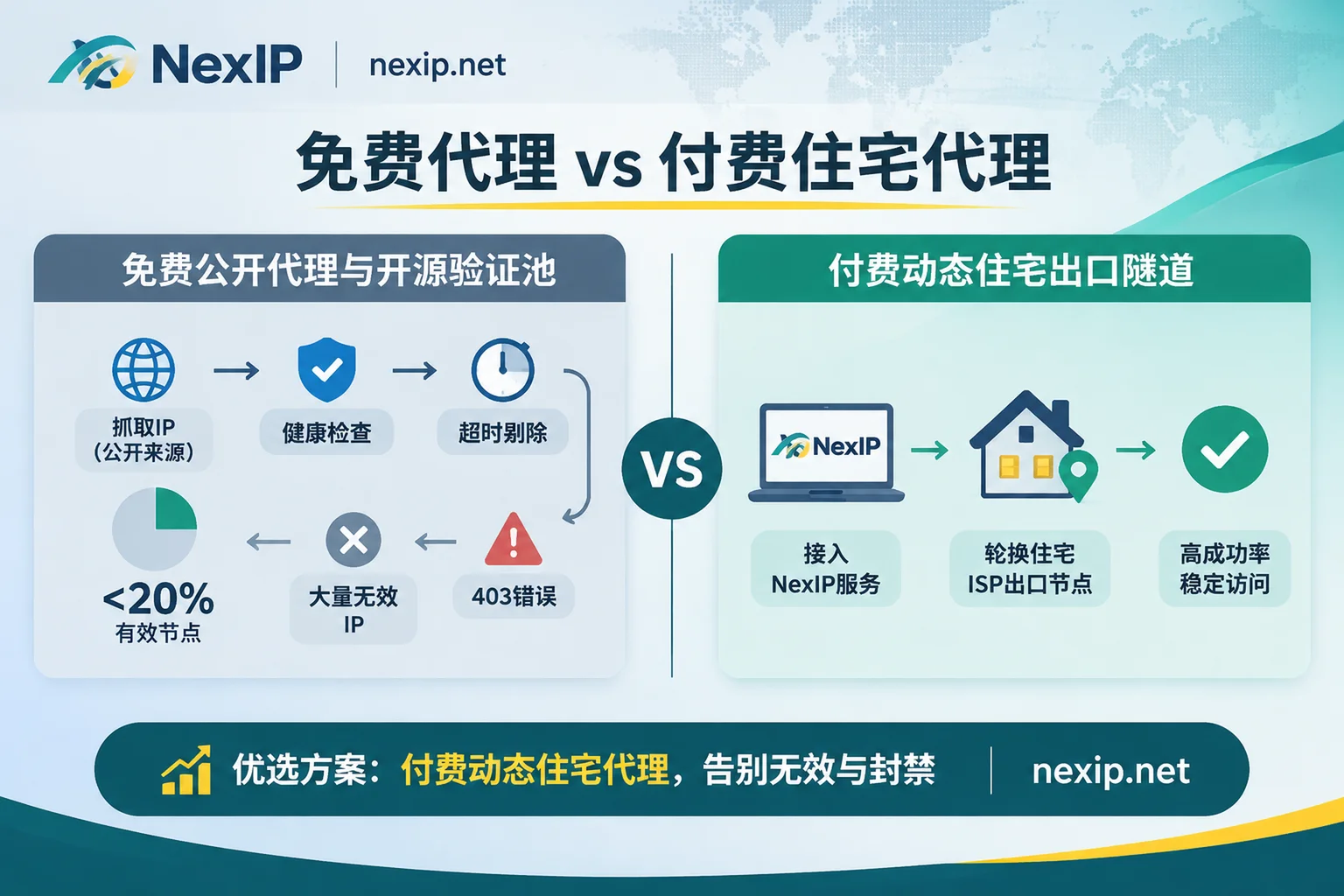
When first writing scraping scripts, many people's first instinct is to search for free proxy lists or pull an open-source proxy_pool project from GitHub, set up Redis to periodically fetch and validate free IPs. It seems to achieve "zero cost", but in real business scenarios, they often abandon it within days. There are four core reasons:
- The validation machine works harder than the crawler itself
Free proxies usually come from idle hosts or scanned open ports. You pull hundreds of IPs, but often less than 20% actually connect, and even those that pass validation may time out when making real business requests. More troublesome is the extremely high marginal cost of health checks—does a timeout count as failure? Is a403return due to a dirty IP or missing request headers? A large amount of compute and bandwidth is spent on repeated "verification" and retries, while actual business throughput remains very low. - Transparent proxies are as good as no proxy
The anonymity levels of high-anonymity, anonymous, and transparent proxies are completely different. Free lists are mixed with many transparent or semi-transparent proxies that pass your real source IP in request headers. The target website can immediately identify that you are using a proxy and still block your requests. - Response tampering and data security risks
All your HTTP/HTTPS requests go through the proxy server. Unknown free nodes may inject ads, tamper with returned HTML structure, or even intercept cookies, tokens, or account credentials in requests—an unacceptable security exposure for any formal project. - Availability plummets at night and during peak hours
Free resources are contested by everyone. The same batch of IPs is repeatedly bombarded by countless scripts against target sites in a short time, quickly blacklisted by global risk control databases, making it impossible to guarantee stable task delivery windows.
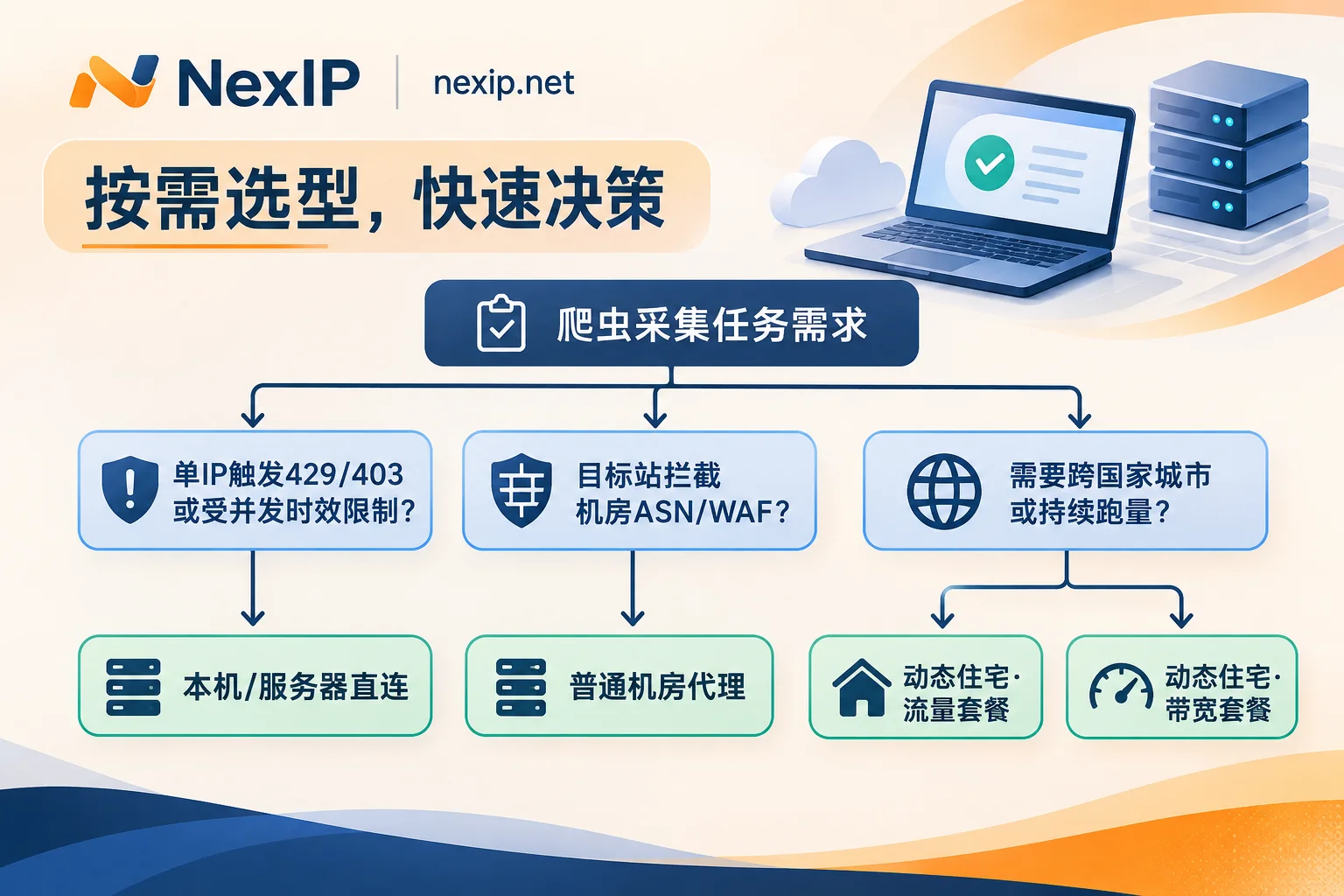
Three Hard Signals: Which One Means You Must Use Paid Crawler Proxy IPs
If you don't want to spend money prematurely, you can first run a small sample test with direct connections. As soon as any of the following signals appear in your logs, it means free solutions and single IPs are no longer sufficient:
1. Large numbers of 429 or 403 still appear after reducing frequency
After lowering concurrency and adding random wait times between requests, if the task still frequently hits 429 Too Many Requests or 403 Forbidden, or you have to extend intervals so long to avoid triggering limits that the collection task cannot finish within the required time window, you need to distribute the request pressure of a single IP across multiple egress points.
2. Low-frequency requests are blocked instantly, and direct vs. proxy performance differs greatly
Sometimes you send only one or two requests per second, with User-Agent and Cookies configured to look like a normal browser, but requests from a public cloud host are directly rejected by Cloudflare or the target site's WAF. Modern anti-scraping systems not only look at request frequency but also jointly evaluate IP reputation score, ASN ownership, and TLS fingerprint. Public cloud and data center IP ranges are prime targets on risk control lists. Only by switching to residential egress assigned by real ISPs can you restore a normal visitor profile. (If you still encounter identification or disconnections after switching to residential egress, you can further troubleshoot using the method for locating traffic diversion when collection success rate drops and the logic of TLS fingerprint and proxy协同对抗.)
3. Need to obtain differentiated content across countries and cities
When doing cross-border e-commerce price comparison, overseas SERP ranking monitoring, or ad landing page verification, target sites return completely different prices, currencies, inventory, or even block non-local access based on visitor IP geolocation. A single fixed data center egress cannot obtain a real local perspective; you must rely on residential proxies that support country, city, and even ASN and ISP targeting.
Once You Decide to Buy, How Can Individual Developers and Teams Choose Without Wasting Money?
The core principle for spending money wisely is only one: First divide pools based on whether the task requires a "fixed identity", then choose the billing method based on the task's traffic and runtime characteristics.
Step 1: Choose rotating residential for public data collection; static residential only for login-state tasks
Most data collection, price comparison, SEO monitoring, and AI Agent / RAG real-time retrieval of public web pages do not require the same IP for months. Instead, switching to a clean residential egress per request or per work unit is safer. Only scenarios requiring long-term stable login states—such as store backend management, social media account maintenance, and payment verification—need static residential proxies with fixed egress (static long-lived IPs or static short-lived IPs).
Step 2: Decide between traffic-based and bandwidth-based billing according to your "volume rhythm"
For small-to-medium scale starting projects, intermittent operation, or projects with relatively lightweight collection fields (such as price comparison scraping, ad verification, SERP monitoring, and AI corpus collection), traffic-based (GB) billing is the most flexible—no charge when not running tasks. For example, at NexIP, the crawler proxy IPs (rotating residential proxy·traffic plan) specifically designed for such data collection and verification scenarios support HTTP/HTTPS/SOCKS5 protocols, can automatically rotate per request or set sticky sessions, and support targeting by country, city, ASN, and ISP (subject to real-time inventory). You can integrate with existing scraping scripts directly via username/password or IP whitelist authentication without building another cumbersome free validation pool. (Before integration, if you want to estimate how many GB of traffic you need, you can refer to this formula and sampling method for estimating rotating residential traffic.)
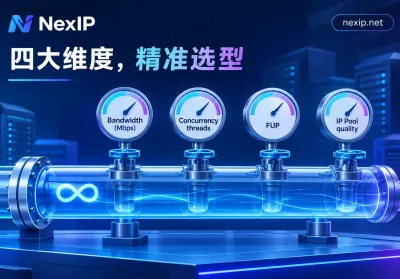
If your crawler runs 24/7 continuously, fetches large pages per request, and has very stable throughput (e.g., all-weather sentiment monitoring, real-time inventory tracking, or high-frequency API polling), traffic-based billing tends to exceed budget during sustained volume. Such tasks are better suited for rotating residential proxy·bandwidth plan with port bandwidth billing and unlimited traffic (subject to fair use policy). Before choosing, you can also check your bandwidth peak requirements against the concurrency and FUP troubleshooting guide for unlimited traffic proxies.
Step 3: Prioritize egress that natively supports multiple access methods and sub-account control
For engineering implementation, proxy services that support API extraction, username/password forwarding, port forwarding, and process proxying mean that whether you use Requests, HTTPX, AIOHTTP, or Playwright (see Python scraping script integration record), you can get running in minutes. If multiple team members share the service, you can allocate quotas and permissions directly through sub-accounts in the backend. For real-time pricing, coverage areas, and available pool size, refer to the official website and user backend (https://user.nexip.net).
Don't Skip This Step Before Going Live: Spend 10 Minutes on "Real Business Acceptance"
No matter which provider you trial, never purchase in bulk based solely on the "connectivity rate" stated on the website or a simple httpbin test. What really determines whether your script runs stably is the effective request rate in real business scenarios. It is recommended to run a small-scale stress test in three steps:
- Use real target URLs to calculate the "effective return rate": Send 200–500 requests to the actual pages you want to scrape. Not only check for HTTP 200, but also verify whether the response body contains the target business fields. Exclude fake 200s, empty rendered pages, and CAPTCHA interception pages before calculating the true success rate.
- Distinguish between Connect Timeout and Read Timeout: If connection timeouts appear frequently in logs, it usually means the current egress node is blocked or the link is unreachable; the code should directly discard it and switch to a new IP. If read timeouts occur, it may be link congestion or slow response from the target site; use isolation observation and limited backoff retries—never write infinite retry loops, otherwise retry requests will instantly amplify concurrency, causing a "retry storm" that drags down both the proxy port and the local machine.
- Establish pacing control and compliance bottom lines on the crawler side: Proxy IPs only solve network egress attributes and per-address frequency distribution; they cannot replace request header consistency, request interval randomization, and concurrency cap control. At the same time, any data collection should be limited to publicly compliant content, follow the target site's
robotsagreement and access rules, and keep request frequency within a reasonable range, so that you can obtain usable data stably over the long term.