 NexIP官方博客
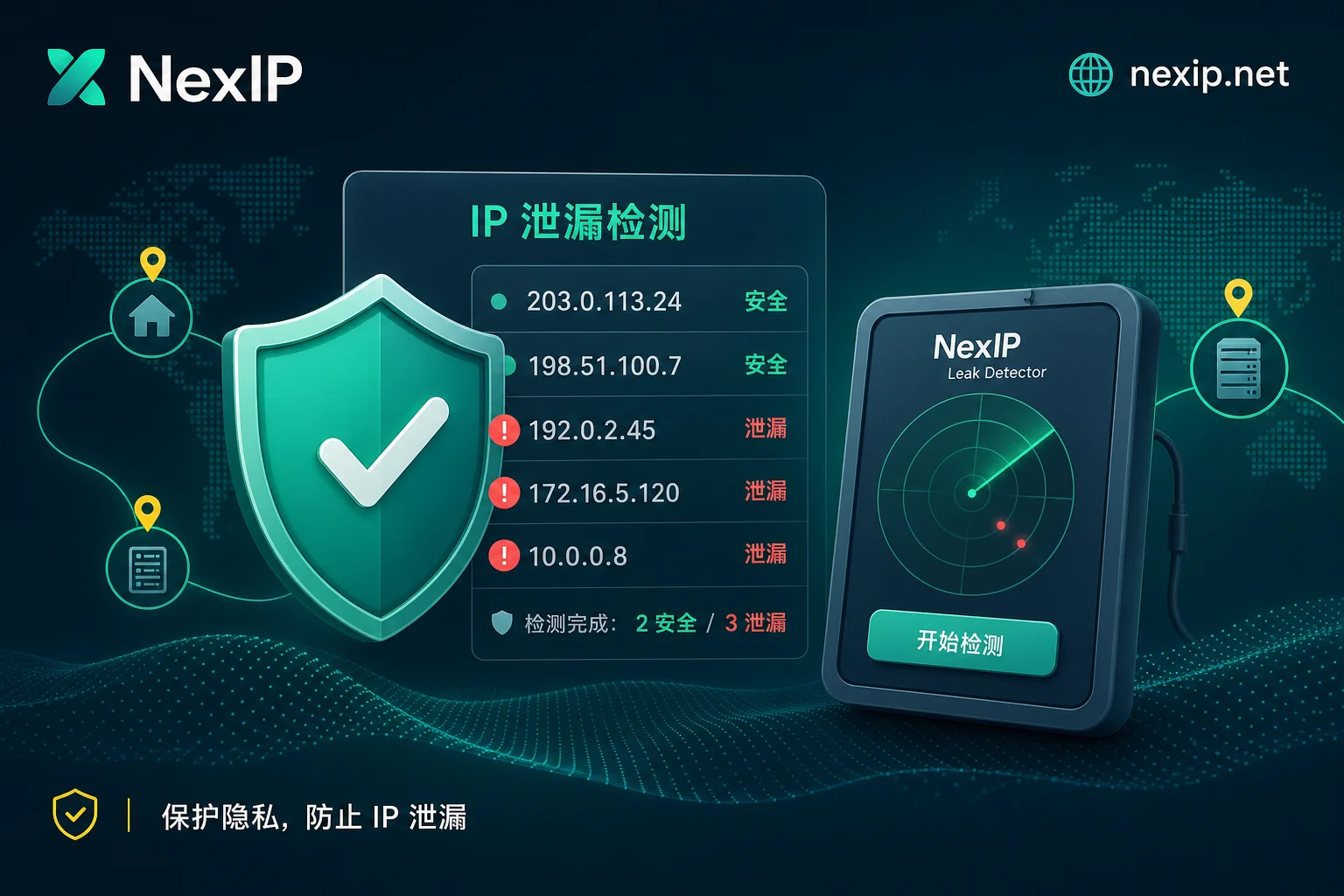
The core of WebRTC leaks and proxy IP security can be summed up in one sentence: if you've configured a proxy but still see a second IP, the proxy is likely not broken—WebRTC is bypassing the proxy via UDP at the browser kernel level to expose your real public IP. Industry research in 2026 notes that in cross-border multi-account operations, if the fingerprint browser kernel does not correctly handle WebRTC, both the proxy egress IP and the real local IP will appear on the device side, breaking network isolation consistency (Source: WebRTC Leak Protection Guide 2026, proxies.sx, 2026-01).
First, Distinguish the Type of Leaked Address
When establishing a connection, WebRTC's ICE framework collects three types of candidate addresses:
- host candidates: Device LAN private IPs, e.g., 192.168.x.x. Modern browsers, per RFC 8828, typically obfuscate these with mDNS into
.localhostnames to prevent LAN topology scanning. So seeing.localor addresses starting with 192.168 is often expected, not a leak. - srflx public reflection candidates: IPs reflected by STUN servers representing the actual outbound path. If your proxy is HTTP or SOCKS5 without UDP forwarding, this candidate is likely your real ISP public IP—this is the risk.
- Addresses matching the proxy egress: If the browser forwards normally through the proxy, the reflected address from STUN may match the proxy egress, indicating consistent network isolation.
So with a proxy configured, whether seeing two IPs is normal depends on the second address: any public IP besides the proxy egress is abnormal.
Impact of WebRTC Leaks on Proxy IP Security: STUN Uses UDP, Proxies That Only Forward TCP Can't Block It
When WebRTC establishes a connection, the ICE framework sends UDP probes to STUN servers. Regular HTTP proxies and SOCKS5 without UDP forwarding only handle application-layer TCP traffic (see SOCKS5 vs HTTP Proxy Protocol Performance Comparison in Cross-Border Business). Therefore, the browser sends UDP probes directly, bypassing the proxy, and the webpage can read the srflx public reflection candidate via RTCPeerConnection.
Whether a SOCKS5 proxy leaks WebRTC depends on whether UDP forwarding is enabled: if not, it leaks. This is why WebRTC leak protection must be handled at the browser kernel level, not just proxy configuration.
Step 1: Detection—Read ICE Candidates, Look for a Second Address Beyond the Egress
Specific Operation Path
- Open
chrome://webrtc-internalsin a Chromium-based browser, trigger a WebRTC connection, then check the candidate list in the "ICE Candidate" panel. - Or run the following in the console on any page:
new RTCPeerConnection({iceServers:[{urls:'stun:stun.l.google.com:19302'}]}), and listen to theonicecandidateevent, printing thecandidatestring to the console.
How to Judge
In candidate strings, typ host denotes local candidates, and typ srflx denotes public reflection candidates. Record each and compare with the current proxy egress IP:
- Note the current proxy egress IP (query via other means).
- Judgment standard: If there's a public IP other than the proxy egress, it's a leak; if only the proxy egress IP and
.localhostnames appear, no leak.
Note: .local hostnames are expected, not leaks.
Step 2: Continuous Sampling and Cross-Checking with Multiple Sites
Don't rely on a single check or a single detection site. Some online detection sites only check for obvious real public IP strings; a "normal" result might mask anomalies from tampered or disabled APIs. Enterprise risk control combines multiple signals like WebRTC status, TCP vs UDP channel differences, TLS fingerprints, etc. (Source: WebRTC Leak Protection Guide 2026, industry observations, not official platform statements).
Therefore:
- Under the same configuration, sample 3-5 times continuously, comparing candidate list stability.
- Use different online detection sites for cross-validation, focusing on prompts like "multiple public IPs."
- Don't treat any site's "100% pass" as the gold standard.
Step 3: Fix—Disable, Replace with Proxy Egress, or Force Kernel-Level Forwarding
For leaks, there are three main approaches: fully disable, replace with proxy egress IP, or force kernel-level forwarding. The table below compares their applicability and side effects:
| Approach | Principle | Use Cases | Side Effects |
|---|---|---|---|
| Fully Disable | Block all ICE candidate collection | For scenarios not relying on audio/video (e.g., pure web browsing) | Real-time communication features like Google Meet, Discord fail; may be flagged as abnormal environment |
| Replace/Alter | Rewrite ICE candidates at API level to match the proxy egress IP | Need audio/video and network consistency | Depends on proxy egress stability; if proxy drops, rewrite is meaningless |
| Kernel-Level Force Forwarding | Force UDP traffic through proxy at browser or system level | Proxies support UDP forwarding (e.g., some SOCKS5/tunnels) | Requires proxy UDP support; more complex configuration |
So, is it safer to disable WebRTC or replace it with the proxy IP? If your business relies on audio/video, replace mode is preferable; for simple tasks, disable is more thorough. In fingerprint browsers, check WebRTC settings—usually there are options like "Disable," "Replace," or "Custom." When choosing replace, fill in the proxy egress IP.
DNS Resolution and WebRTC Are Two Separate Things
It's important to clarify: WebRTC candidates, TCP egress IP, and DNS resolution belong to different channels. Even if you fix WebRTC, DNS resolution might still point to your local ISP. So after fixing, verify separately; don't use one detection result to cover all.
Correction: Disabling WebRTC Doesn't Guarantee Isolation
Must emphasize: There's no absolute conclusion that "turning off WebRTC or using residential IPs prevents account bans." Risk control systems use a combined score of IP attributes, device fingerprints, DNS attribution, and business behavior. WebRTC leak protection is just one layer. Also, major platforms haven't publicly disclosed specific thresholds or weights for WebRTC absence or ICE candidate anomalies; any claims of specific scores are unreliable. If you encounter egress issues, see What to Do If Your IP Is Blocked by Google.
Tiered by Business: Protection Requirements by Stage
Different business stages have different network consistency requirements:
- Long-term logged-in state: Emphasize egress stability and candidate consistency, avoid frequent changes. See How to Configure IP for Amazon Stores.
- Registration/verification phase: Environment must not show conflicting signals like different IP geolocations.
- Public data access: Low reliance on audio/video; can use more conservative approaches (like fully disabling).
Post-Fix Review: Align IP Type with Business Stage
For the egress layer, align with NexIP's four resource types based on business stage: static long-term residential IPs for long-term logged-in states, static short-term residential IPs for registration/verification, and dynamic residential bandwidth packages for public data access. Additionally, NexIP supports region selection, session stickiness, city/ASN targeting, and offers both HTTP and SOCKS5 protocols for various scenarios.
Four-Point Checklist After WebRTC Leak Protection
Use the following four points to verify at once, within the same browser profile and time window, and record results for comparison:
- Egress IP: Matches proxy egress, unchanged.
- ICE candidates: No public IP other than proxy egress, or already replaced with proxy egress.
- DNS resolution: DNS IP matches proxy egress or target region; can use proxy IP anti-association ideas.
- Timezone and language: System timezone and language match proxy egress region.
If egress attribution or stability doesn't match business stage, consider reselecting based on the static long-term/short-term/dynamic residential bandwidth division.
FAQ
Do I need to handle addresses like 192.168 or .local?
Modern browsers already obfuscate private IPs with mDNS into .local; this is expected, no action needed. What matters is whether there's a public IP other than the proxy egress.
Is WebRTC safe with only a SOCKS5 proxy?
Not necessarily. If SOCKS5 doesn't enable UDP forwarding, WebRTC's STUN probes bypass the proxy, exposing your real public IP. Confirm if the proxy supports UDP or use replace mode.
After disabling WebRTC, audio/video conferences don't work. What to do?
Disabling WebRTC disables real-time communication. Switch to replace mode, rewriting ICE candidates as the proxy egress IP to keep functionality and consistency.
The detection site shows two IPs. Is it always WebRTC leak?
Not necessarily. It could be due to multiple network interfaces, DNS leaks, or proxy misconfiguration. Combine ICE candidate list, TCP egress IP, and DNS attribution to judge holistically, following the review checklist in this article.



Comments(0)