 NexIP官方博客
The IP you use to register ChatGPT depends on the stage: for public browsing, any working egress is fine; for registration and first-time verification, you need a static residential IP that stays constant throughout; for long-term login and subscriptions, the egress country must strictly match your billing address. On September 3–4, 2026, OpenAI officially released its next-generation flagship model GPT-6 Astra, sparking a surge in global trial demand, making network egress attributes a key variable for success.
A Review of ChatGPT Registration Failures: Categorizing Three Typical Errors
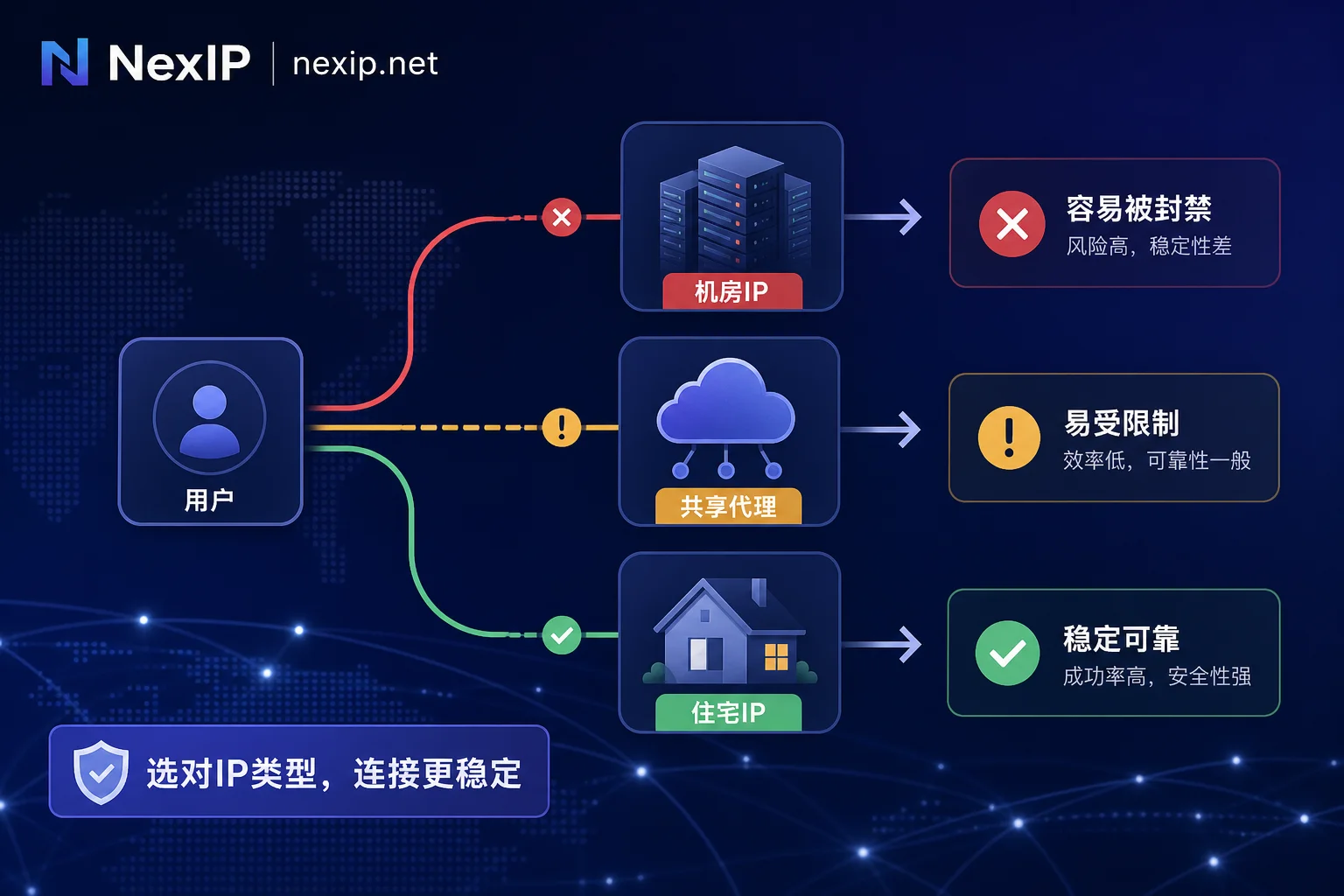
Common symptom combinations usually manifest as obstacles in three independent stages: first, using a data center VPS egress directly yields an "unavailable in your country" message, indicating a failure in geographic attribution; second, after switching to a cheap public shared proxy, the email submission step encounters "Too many signups from the same IP," resulting from the cumulative registration frequency on that egress; third, when trying a rotating residential egress, it passes initial checks but the CAPTCHA page continuously spins during verification, due to egress drift during the process. This is not a single user's test data but a summary of high-frequency error scenarios from the community.
The Mistake in the Review: Choosing by Price, Not by the Registration Pipeline
The common error in the above cases is trying to use a single cost dimension to deal with multi-dimensional risk checks. The registration pipeline is actually scrutinized on three core factors: the nature of the entity registering the egress's Autonomous System Number (ASN), recent concurrent registration records on that egress, and the stability of the egress IP during the period from opening the page to completing first verification.
| Egress Type | ASN Registered Entity | Egress Exclusivity | Session Persistence from Registration to First Verification | Suitable Usage Stage |
|---|---|---|---|---|
| Data Center & Public Shared | Hosting | No (shared) | No (easily disturbed) | Only suitable for stateless public browsing |
| Rotating Residential | ISP | No (rotating) | No (changes mid-session) | Not suitable for registration or verification |
| Static Residential | ISP | Yes (fixed) | Yes (bound throughout) | Registration, verification, and long-term subscriptions |
Data Center & Public Shared Egress: How Neighboring Behavior Affects You
Data center egress is most prone to failure at the start of registration. Because its ASN registered entity is usually marked as Hosting, it is clearly distinct from the ISP attribute of home broadband, making it easy to identify as a high-risk source. If you refer to why data center IPs are easily recognized as high-risk IPs, you'll find that public shared nodes also bear the brunt of other users' historical behavior in the same subnet.
Once an egress has been used for batch registrations or has a history of abuse, even innocent users on the same IP may trigger rate limits at the email submission stage or directly face regional unavailability errors during access. Additionally, data center egress often exhibits a specific phenomenon: accounts can log in, but model response quality degrades or features are restricted. This is a different symptom layer from hard blocks during registration. Regarding the degradation phenomenon, only community empirical knowledge exists; the official determination rules have not been published. Users can check the ASN registration type and usage type field of the egress IP to confirm whether it belongs to a local broadband provider rather than a hosting service—this is the first step in ruling out such risks.
Rotating Residential Egress: The Cost of Switching Mid-Registration and Email Verification
While rotating residential egress has the ASN attribute of home broadband and can pass the initial identity screening, its characteristic of changing IP per request or on short cycles breaks the continuity required for the registration process. Registration is a multi-step process that includes submitting an email, receiving a verification email, filling in the code, and CAPTCHA. If the egress changes from one subnet to another city during this period, the system detects an abnormal session environment change.
This inconsistency directly manifests as repeated CAPTCHA prompts or infinite page spinning. Dynamic egress is more suitable for stateless public information retrieval or support for region whitelist queries, rather than registration operations that require state persistence. The defining criterion is that session stickiness must cover the entire process from opening the registration page to the end of first verification; any mid-way IP drift can undo all progress.
Static Residential Egress: Session Stickiness and Consistency for Subscription Payments
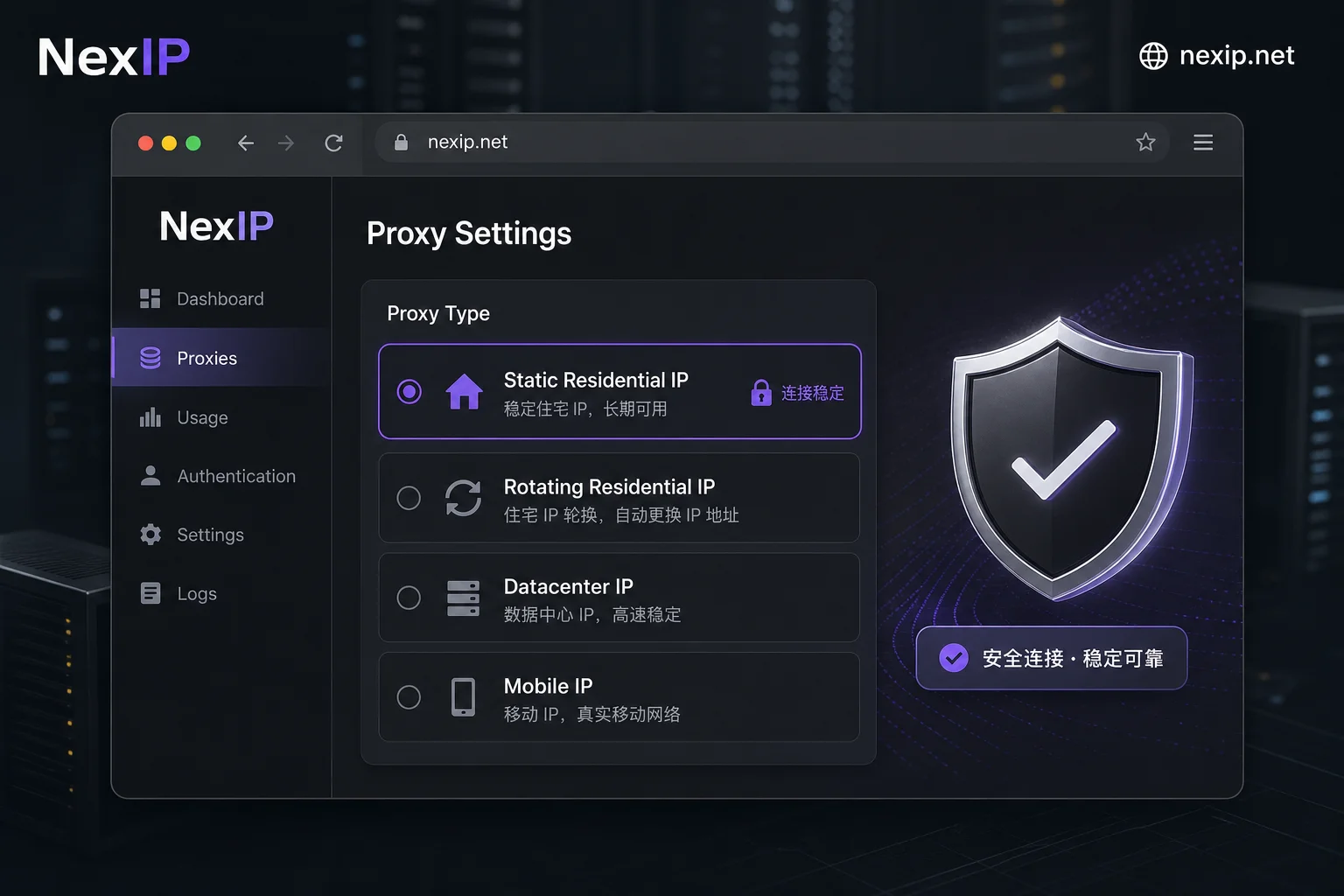
Static residential egress mainly solves the continuity problem. During registration and first-time verification, it ensures the entire flow is bound to a single unchanged egress. In the long-term login and subscription stage, requirements escalate: the egress country must be highly consistent with the billing address and card issuing country; otherwise, payment gateways like Stripe may trigger risk controls and decline due to geographic mismatch.
Static residential is available in two forms: short-lived and long-lived. Short-lived is suitable for covering the window from registration to first verification; long-lived is used to maintain long-term login and subscription relationships. When verifying egress ownership, it's recommended to check the IP's country, city, and ASN registered entity, and use multiple samples to confirm no drift. If you need to specify a particular region to align with subsequent billing information, consider using NexIP static short-lived or static long-lived residential IPs that support region/ASN targeting for small-scale validation. Ownership consistency only reduces uncertainty in regional determination and payment consistency checks; the final outcome is still influenced by email source, browser environment consistency, CAPTCHA, and other factors.
Egress Country and Official Support List: What to Check Before Registration
Geographical attribution is a prerequisite for registration. The country of the egress IP must be on the list of supported regions published in the OpenAI Help Center. This list is time-sensitive and may be updated. The policy explicitly states that accessing or providing access services from unsupported countries and regions may result in account blocking or suspension. Always refer to the results of the most recent query at the time of registration.
When encountering an "unavailable in your country" message, in most cases it points to the geographic attribution of the egress IP, but it could also be due to an abnormal account status or a mismatch between browser language/time zone and the egress region. Users should use WHOIS to check the registered country, compare the ASN location, and ensure browser environment parameters corroborate the egress geographic location. For users in unsupported regions, fully understand the official policy risks and avoid illegal operations that could lead to account loss.
In Anti-Detect Browsers: Fill in Fixed IP Port or API Extraction Link?
Configuration details also determine success. API extraction links return a new proxy address each time, suitable for batch tasks that do not require maintaining a login state. However, for registration or daily login in anti-detect browsers, you must fill in a fixed IP:Port (IP address and port combination) to ensure the entire browser environment is bound to a single egress for a long period.
Regarding the specific difference between API-extracted proxy IPs and account-bound IPs, the key lies in session persistence. After configuration, check the egress IP and ASN within the browser, then wait a while and check again to confirm that both results are identical, thereby verifying stickiness. Additionally, ensure the browser's time zone and language settings match the egress region. In multi-account management scenarios, strictly follow the principle of "one account, one machine, one fixed egress," with each account having an independent browser environment and dedicated residential IP to avoid association risks from shared egress.
After Choosing the Wrong Egress: How to Recover: Account, Environment, and Egress Rollback Order
If you have faced registration failures or account restrictions, blind retries only exacerbate the issue. First, immediately stop submitting registration requests on the current egress to prevent further negative records on that egress. Then, locate the failure stage based on the specific error: if it's a regional message, refer to the logic in troubleshooting network egress when Claude triggers KYC verification to verify whether the egress attribution is on the support list; if it's a frequency message, switch to a clean egress not heavily used; if verification is interrupted, replace the rotating egress with a static one that remains constant throughout.
For accounts that are already created but restricted, simply changing IP will not lift the block or suspension; you must appeal through official channels. On the environment side, the rollback order is critical: rebuild the browser environment together with the new egress, and never plug the old browser profile into a new egress, as residual environment fingerprints may conflict with the new IP and trigger secondary risk controls.
Common Questions
What to do if ChatGPT registration prompts "too many signups from the same IP"?
This usually means the current egress IP has been used by many users to sign up, triggering a rate limit. The next step is to stop trying on that egress immediately and look for a dedicated residential IP with a clean record or an egress from a new subnet. Frequently retrying on the same IP may lead to temporary or permanent marking as an abuse source, prolonging recovery time.
Will registration with a data center IP get banned?
Using a data center IP (Hosting ASN) for registration not only tends to cause initial verification failures, but even if successful, subsequent use may be deemed high-risk due to abnormal network attributes, leading to throttling or bans. Community tests show that data center egress performs far less reliably in payment and long-term login scenarios than residential IPs, so it's best to avoid.
Does "unavailable in your country" indicate an IP issue?
In most cases, yes—it indicates that the country of the egress IP is not on the official support list. However, also check if your browser's time zone and language settings match the IP's region; sometimes environment mismatches can trigger similar errors. If the IP is indeed in a supported region, the issue may be with the account status itself, requiring a broader investigation.
Should I use a static or rotating residential IP for registration?
For the registration stage, a static residential IP is strongly recommended. This is because registration involves email verification and human interaction, requiring the same egress throughout to avoid session interruption. Rotating residential IPs have home broadband attributes but change IP frequently, which can easily cause environment shifts during verification, leading to CAPTCHA loops or registration failures.
How many accounts can one residential IP register?
OpenAI has not disclosed a specific numeric threshold, but from a risk control perspective, registering multiple accounts on the same egress significantly increases association risk. Industry practice recommends strictly following the "one account per IP" principle, especially when using anti-detect browsers, to ensure each account has an independent browser environment and dedicated egress, isolating behavioral data between accounts and reducing the probability of collective bans.
Why does the CAPTCHA keep spinning?
This is usually due to session interruption caused by egress drift. If the page keeps spinning while filling in the CAPTCHA, it indicates that the dynamic IP has changed, and the system detects an abnormal environment. In such cases, switch to a static residential IP, ensuring the egress remains constant from opening the page to completing verification, and then retry.


Comments(0)